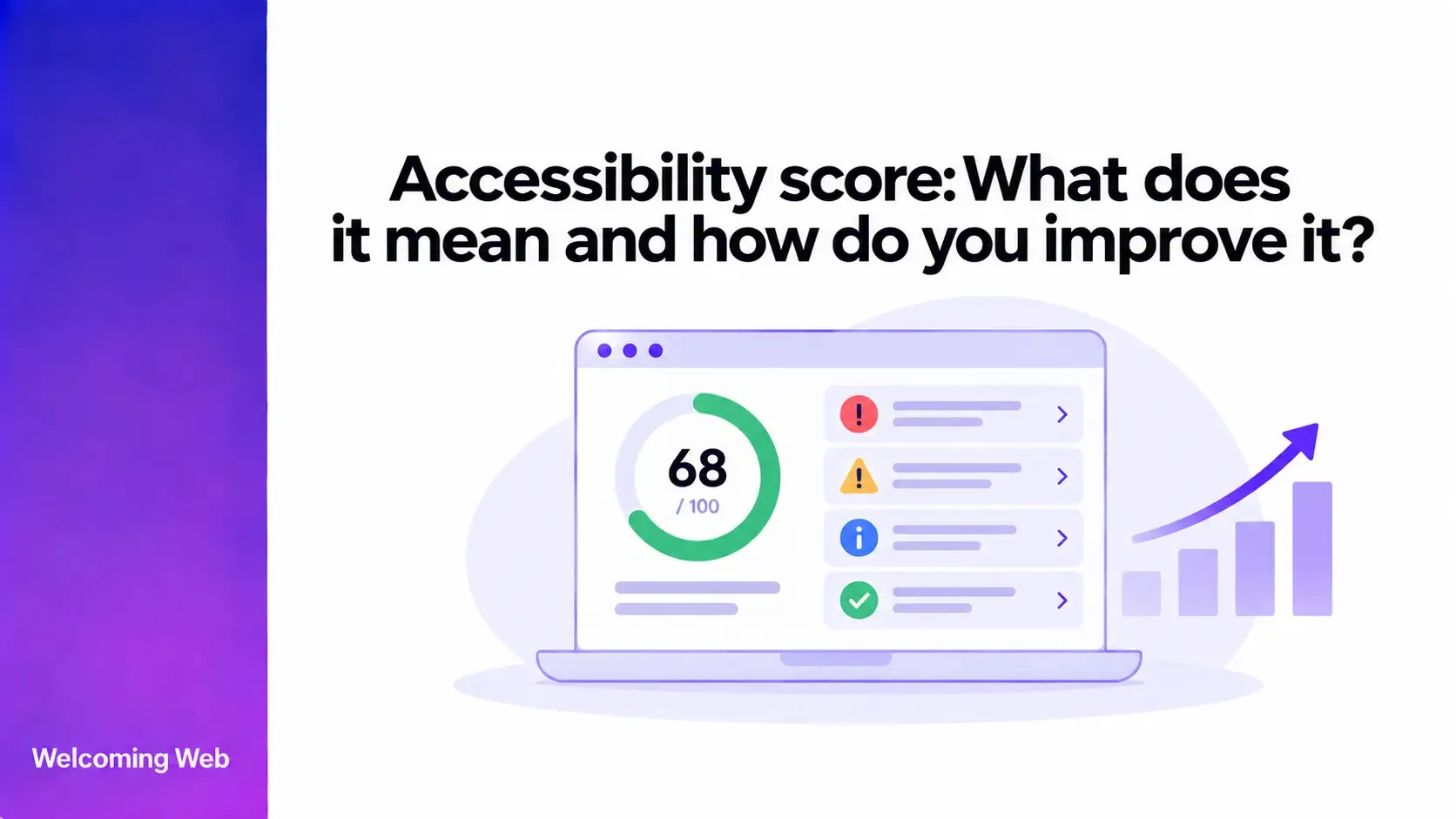
An accessibility score shows how well a website performs against the automated accessibility checks used by a testing tool. Higher scores usually mean fewer or less significant issues were detected. This guide explains how accessibility scores work, what a good score looks like, why results vary between tools, and how to improve your score.
What is an accessibility score?
An accessibility score gives you a quick view of how a website performed during automated accessibility testing. It is usually presented as a number, such as a score out of 100, based on the findings detected by the testing tool.
The score helps you understand the overall result before examining individual findings. Those findings provide the detail behind the number, including which accessibility issues were detected and where they appear on the website.
| What an accessibility score shows | What an accessibility score doesn't show |
|---|---|
| How a page performed against a tool's automated checks. | Full WCAG conformance. |
| Whether the tool detected accessibility issues. | Whether every accessibility barrier has been found. |
| Changes in results when measured consistently over time. | How another accessibility tool will score the same page. |
| Where further investigation may be needed. | The complete experience of disabled users. |
You can use a free accessibility scan to identify supported issues on a web page and see how automated findings are presented.
How is an accessibility score calculated?
There is no universal formula for calculating an accessibility score. Each provider can decide which checks contribute to its score and how different findings affect the result.
A scoring system may take several factors into account:
- Number of detected issues: The quantity of findings can influence the result.
- Severity: Some systems give greater weight to more serious findings.
- Repeated findings: An issue appearing multiple times may affect the calculation differently from an isolated finding.
- Rules tested: The score reflects the automated checks included by that particular tool.
- Website coverage: A score based on one page and a score based on multiple pages may represent different testing scopes.
What is a good accessibility score?
WCAG does not define a numerical accessibility score, so there is no standard score that every website must achieve. For tools using a 0–100 scale, results towards the upper end generally represent stronger performance against that tool's automated checks. Some providers recommend aiming above 90, although their scoring methods can differ. A useful general interpretation is:
| Score position | What it generally indicates | What to do next |
|---|---|---|
| Towards the top of the scale | Stronger performance against the automated checks used. | Review any remaining findings and determine what still requires attention. |
| Middle of the scale | Multiple detected issues are affecting the result. | Prioritise findings according to their impact, scope, and remediation requirements. |
| Towards the bottom of the scale | The testing tool has identified more substantial problems within its scoring system. | Investigate the findings and establish a remediation plan. |
The useful target is improvement within the scoring system you use. If your tool provides its own score bands or recommended target, use those definitions when interpreting its results.
Why do accessibility scores differ between tools?
Two accessibility tools can test the same website and return different scores because they may not be measuring the same things in the same way. One tool might include checks that another does not. Severity classifications can differ, and providers may apply different penalties to individual or repeated findings. Testing scope can also vary if the tools scan different URLs, states, or elements.
This makes cross-tool score comparisons unreliable. If you want to measure progress, compare results produced under consistent testing conditions using the same scoring system.
What can lower a website accessibility score?
Accessibility scores usually fall when automated testing detects issues covered by the tool's rules. The effect on the score can depend on the type and severity of the issue, how often it appears, and how the scoring system weights different findings.
Common detectable findings can include:
- Missing alternative text for images.
- Insufficient colour contrast.
- Form fields without appropriate labels.
- Buttons or links without accessible names.
- Problems with heading or page structure.
- Certain ARIA implementation errors.
- Other automatically detectable WCAG failures.
This means two websites with the same number of findings may receive different scores. A smaller number of heavily weighted issues could have a greater effect than a longer list of findings that the tool considers less significant.
How do you improve an accessibility score?
Improving an accessibility score starts with the findings that contribute to it. Instead of choosing fixes according to how many points they might recover, prioritise work according to the barriers identified and where they occur.
Prioritise issues with greater user impact
Review which findings could interfere with important interactions or access to content. Problems affecting navigation, forms, controls, readability, or essential functionality may warrant earlier attention. Severity information from the testing tool can support prioritisation, while the context of the affected page helps determine the real importance of the issue.
Find shared causes behind repeated findings
Repeated findings can reveal problems in templates, components, or recurring content patterns. If an inaccessible navigation component appears across 100 pages, correcting the component can address the source of those findings. This can be more efficient than treating each affected page as a separate remediation task. Grouping related findings can also make accessibility remediation easier to organise.
Review important user journeys
Individual findings should also be considered in the context of the tasks people perform. Accessibility barriers within checkout, registration, account management, contact forms, or primary navigation can interfere with important journeys. Reviewing these areas helps teams prioritise issues based on where they affect users, alongside the classifications supplied by the testing tool.
Assign the right type of fix
Accessibility findings can originate in content, design, or code, so remediation may need different people. A content editor might correct an inappropriate image description. A designer may need to address a visual issue, while a developer may be responsible for inaccessible component behaviour. Assigning findings according to their underlying cause can help move remediation to the people equipped to resolve it.
Retest the affected area
After making a correction, rerun the relevant checks to confirm whether the original finding remains. Retesting is especially useful after changes to shared components because it can show whether the correction resolved repeated findings elsewhere. If the issue remains, the new result provides a starting point for further investigation.
Should you aim for an accessibility score of 100?
A score of 100 can be a useful target because it shows that the website has reached the highest result available within that tool's scoring system. Accessibility evaluation should continue after reaching that score. Some WCAG requirements involve meaning, interaction, usability, and other forms of human judgement that may sit outside of automated testing.
Reaching 100 therefore marks a strong automated testing result. Manual evaluation can then assess accessibility requirements that are not represented in the score.
How should you track accessibility scores over time?
Track accessibility scores using the same tool and a consistent set of pages wherever possible. This gives you a reliable baseline for seeing how automated results change as the website evolves.
Compare scores after remediation work, releases, template updates, and significant content changes. An unexpected increase or decrease can signal that the website's detected accessibility issues have changed.
When a score moves, review the findings from that scan to understand what caused it. This can show whether previous issues have been resolved, new barriers have appeared, or recurring problems have returned.
Changes to the testing methodology or pages included in a scan can also affect the result. Keep these factors consistent when you want to compare scores across different periods.
How does Welcoming Web measure and track accessibility scores?
Welcoming Web gives scanned websites an accessibility score from 0 to 100. Individual scan scores provide a quick view of results, while detected issues provide the detail needed to investigate what requires attention. The dashboard also provides an average score based on recent scan data and an Accessibility Score Trend. Teams can use these metrics to follow changes across scans and identify when results improve or decline.
Welcoming Web recommends working towards a score above 90 within its scoring system. Teams can use this target alongside scan findings to monitor progress as accessibility issues are addressed. Reports can also be exported when results need to be documented or shared with other stakeholders.
Welcoming Web identifies supported accessibility issues and provides remediation assistance. Manual evaluation is still needed for barriers that automated checks cannot detect. The platform supports accessibility work but does not certify WCAG conformance or make a website accessible on its own.
Use your accessibility score to guide improvement
An accessibility score gives you a concise way to monitor automated testing results. The next step is to turn those results into decisions about which accessibility issues need attention and who should address them.
Use the score to spot changes, then use the associated findings to prioritise and verify remediation. Over time, this creates a clearer picture of whether detectable accessibility issues are being reduced as the website evolves.
Run a free accessibility scan with Welcoming Web to identify supported accessibility issues on your website.

Written by
Alisan Erdemli
CEO at Welcoming Web, and web accessibility technology expert
Connect on LinkedInReady to Make Your Website Accessible?
Join thousands of satisfied users who trust WelcomingWeb to deliver fully accessible, compliant, and inclusive digital experiences.