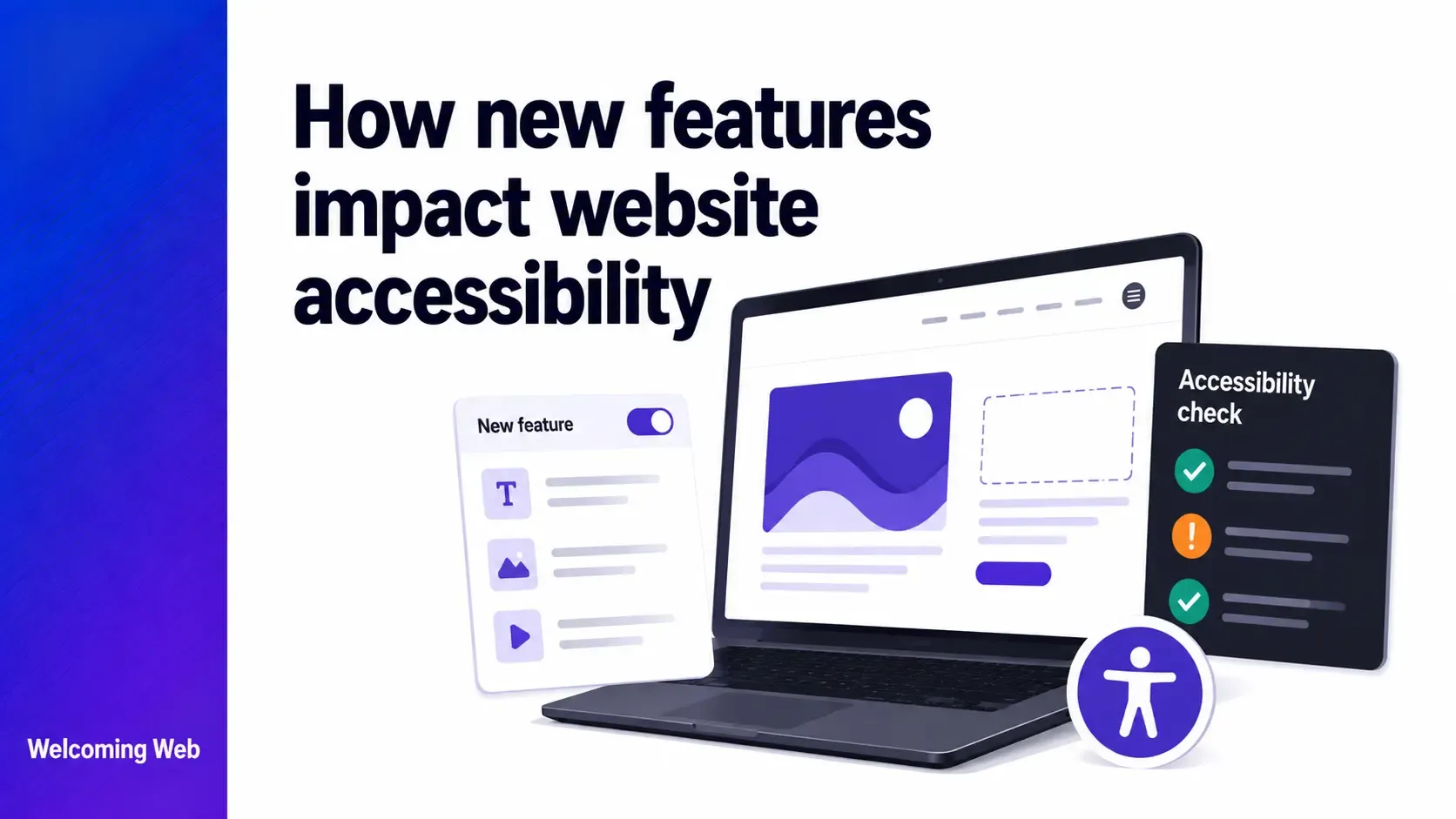
New features impact website accessibility when code changes introduce barriers that were not present before. Component updates, global CSS changes, and new interactive elements are the most common triggers, and the regressions they cause are often invisible to standard QA processes. This guide covers which types of feature releases carry the highest accessibility risk, how regressions go undetected, and what teams can do to catch them before users encounter them.
Why do new features introduce accessibility regressions?
An accessibility regression is when a website that previously met a WCAG criterion fails it after a change is made. Unlike a bug that breaks obvious functionality, an accessibility regression is often invisible to the team that introduced it. A developer who fixes a layout issue by adding outline: none to a CSS rule may not know they have just removed keyboard focus indicators from every interactive element on the site. A designer who updates a colour token to improve the brand palette may not realise the new value drops below the 4.5:1 contrast ratio required by WCAG 1.4.3.
New features impact website accessibility in compounding ways for three reasons. Standard QA processes focus on functional correctness rather than assistive technology compatibility, which means accessibility failures are rarely caught before deployment. The changes most likely to introduce regressions, including shared components, global styles, and JavaScript event handlers, are also the changes that affect the most pages simultaneously. And the users most affected are the least likely to file a support ticket, because the barrier often prevents them from completing the task they came to do at all.
Which types of feature releases carry the highest accessibility risk?
Not all feature releases impact website accessibility equally. Understanding which types of changes are most likely to introduce regressions helps teams prioritise where to focus testing effort.
- Shared component changes. A change to a button component, a modal, a dropdown, or a navigation element used across the site affects every instance of that component simultaneously. A keyboard accessibility failure introduced into a shared button component creates a failure on every page where that button appears. The more widely used a component, the higher the regression risk of any change to it.
- Global CSS changes. Changes to stylesheets that apply globally, including base styles, design tokens, and theme variables, can affect accessibility properties across the entire site in a single deployment. The most common accessibility regression from a global CSS change is the removal or modification of focus indicators, which affects keyboard users across every interactive element on the site.
- New interactive components. Any new feature that introduces interactive elements, including a new form, a modal dialog, a dropdown menu, a date picker, an accordion, or a tab panel, carries accessibility risk if it is built without keyboard accessibility and screen reader support. Custom interactive components built with non-semantic HTML require explicit keyboard event handling and ARIA implementation that is frequently omitted when accessibility is not part of the development brief.
- Third-party integrations. Adding a new third-party tool, such as a chat widget, a booking system, a cookie consent banner, or a payment processor, introduces front-end code that the organisation does not control. Third-party tools vary significantly in their accessibility, and their code often introduces keyboard traps, focus management failures, and ARIA attribute conflicts with the host site.
- Content management updates. New content types, new block types in a CMS, or new page templates can introduce accessibility issues that content editors replicate across every page they create. A new blog post template with incorrect heading hierarchy will produce heading failures on every post published using that template until the template is fixed.
Why do accessibility regressions go undetected after feature releases?
Accessibility regressions go undetected after feature releases for the same reason they go undetected on new builds: standard QA processes do not test for them. Understanding how new features impact website accessibility requires recognising that functional QA and accessibility QA are different disciplines. A QA engineer verifying that a checkout flow processes payments correctly is not checking whether a keyboard user can complete the same journey. A product manager confirming that a modal opens and closes is not checking whether it announces correctly to a screen reader.
Several specific patterns make accessibility regressions particularly hard to catch:
- Regressions in shared components appear across many pages but may only be noticed on the specific pages included in QA scope.
- CSS regressions affect visual properties that look unchanged to a sighted reviewer but fail for users relying on colour contrast or focus visibility.
- Screen reader regressions require testing with assistive technology that most QA processes do not include.
- Third-party tool regressions are often attributed to the vendor rather than flagged as an accessibility issue on the host site.
Disabled users who find a barrier typically leave instead of contacting support, which means regressions generate no signal in standard customer service or analytics data. The ways new features impact website accessibility are often invisible until a scan or a user complaint surfaces them weeks or months after deployment.
How do you prevent accessibility regressions from feature releases?
Preventing new features from impacting website accessibility requires building accessibility into the release process. Below are some good ways to do this:
Specify accessibility requirements in the feature brief. A feature brief that describes what a new component must do functionally but says nothing about keyboard operability, focus management, or screen reader compatibility will produce a component that is tested against the brief and passes. Writing accessibility requirements into the brief gives developers and QA engineers something specific to build and test against, and gives the feature a clear pass or fail state on accessibility before it ships.
Test shared components and global styles first. When reviewing how new features impact website accessibility, prioritise changes to shared components and global stylesheets. These are the changes that affect the most users across the most pages and carry the highest regression risk. A keyboard accessibility check on a modified shared component takes minutes and covers every page where that component appears.
Run accessibility scans after every significant release. Automated scanning after a release catches detectable regressions before they accumulate. Welcoming Web's monitoring tools check pages against a range of accessibility standards, comparing results between scans so that new issues introduced by a release are immediately distinguishable from pre-existing ones. The dashboard shows whether issues are new, fixed, or reappearing, giving teams a clear picture of what each release introduced. A free accessibility scan takes 60 seconds and shows you exactly what has changed since the last scan.
Assess third-party tools before integration. Before adding a new third-party tool to a site, check whether the vendor has an accessibility statement, whether their tool has been tested against WCAG, and whether any known accessibility issues are documented. Assessing accessibility at the procurement stage is significantly less costly than remediating issues after the tool has been integrated and deployed.
Build accessible components from the start. The most effective way to limit how new features impact website accessibility is to build them accessibly the first time. A component built with semantic HTML, keyboard event handlers, and correct ARIA implementation from the start does not introduce a regression when it is deployed.
What should teams check immediately after a feature release?
A targeted accessibility audit immediately after a feature release does not need to cover the entire site. Focusing on the pages and components affected by the release produces a useful accessibility signal in a short amount of time.
The most useful checks to run immediately after any significant feature release are:
- Tab through the new or modified feature using only a keyboard, checking that all interactive elements are reachable, operable, and that focus is managed correctly when modals or dynamic content are involved.
- Check focus indicators on any element that was modified or added, particularly if CSS changes were part of the release.
- Check colour contrast on any new or modified text, particularly if design tokens, brand colours, or theme variables were updated.
- Test any new form by completing it using only a keyboard, checking that fields are labelled correctly and that error messages are announced.
- Scan the affected pages using an automated tool to identify any detectable WCAG failures introduced by the release
Accessibility regressions do not announce themselves
The teams that manage how new features impact website accessibility well are those that have built checking into the release process itself, so regressions are caught at the point they are introduced. Catching a regression the day after a deployment is a ten-minute fix. Finding it three months later, after it has propagated across new content and been indexed by search engines, is a remediation project.
An accessibility scan after your next release can take as little as 60 seconds with Welcoming Web and shows you exactly what changed. Get started today.

Written by
Alisan Erdemli
CEO at Welcoming Web, and web accessibility technology expert
Connect on LinkedInReady to Make Your Website Accessible?
Join thousands of satisfied users who trust WelcomingWeb to deliver fully accessible, compliant, and inclusive digital experiences.