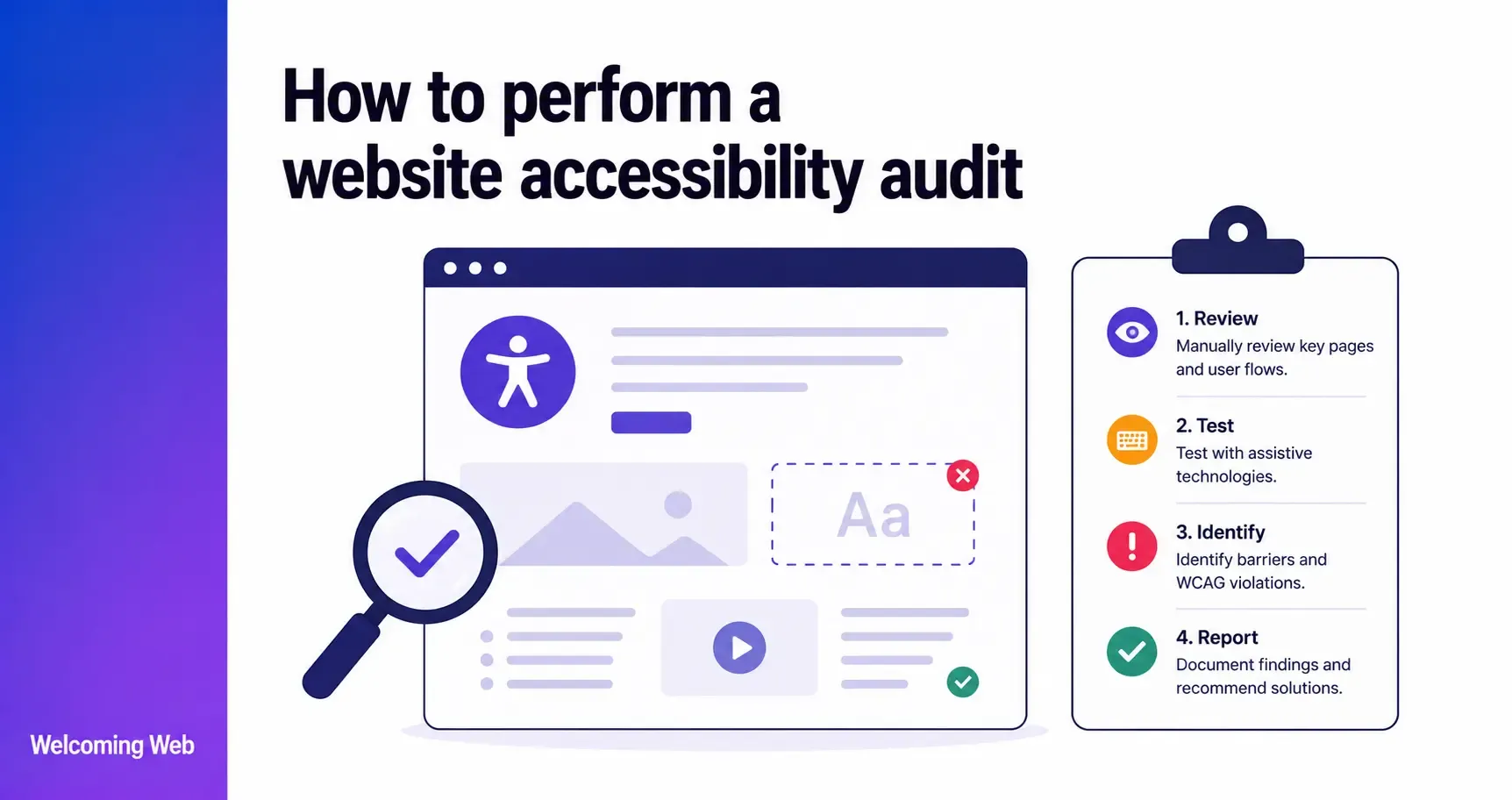
A website accessibility audit is a structured evaluation of a website against recognised accessibility standards, typically WCAG 2.1 or WCAG 2.2 Level AA, to identify barriers that prevent users with disabilities from accessing content or completing tasks. Audits use a combination of automated scanning and manual testing because neither approach alone captures the full picture. This guide covers how to plan and conduct a website accessibility audit, what to test, and what to do with the results.
What is a website accessibility audit?
A website accessibility audit is the process of systematically checking a website against accessibility standards to identify where it falls short and what needs to be fixed. It is the starting point for any serious accessibility programme. Without knowing what is wrong, there is no basis for prioritising fixes or demonstrating progress.
Audits are important for three interconnected reasons. First, they identify the specific barriers that prevent users with visual, hearing, motor, and cognitive disabilities from accessing the site. Second, they produce a documented record of the accessibility position at a point in time, which serves as evidence of good faith effort in legal and regulatory contexts. Third, they create the issue list that drives remediation. Without an audit, accessibility work is reactive and incomplete.
What standard should a website accessibility audit test against?
Most website accessibility audits test against WCAG 2.1 or WCAG 2.2 Level AA, the international standard for web accessibility published by the W3C. WCAG Level AA is the benchmark referenced by the ADA, the European Accessibility Act, the UK Public Sector Bodies Accessibility Regulations, and Section 508.
WCAG 2.2, published in October 2023, is backward compatible with WCAG 2.1. An audit that tests against WCAG 2.2 Level AA covers all WCAG 2.1 Level AA criteria and the nine new criteria introduced in 2.2. For organisations planning a new audit, WCAG 2.2 Level AA is the recommended target.
The conformance level is important too. Level A is the minimum baseline. Level AA is the standard legal and regulatory requirement in most jurisdictions. Level AAA is the highest level and is optional for most organisations. Testing against it is worth doing for specific high-priority content or user flows, but full site-wide AAA conformance is rarely required or practical.
What are the two types of website accessibility testing?
A thorough website accessibility audit combines two types of testing: automated scanning and manual review. Understanding what each one does and where it falls short is essential for planning an audit that gives a complete and accurate picture.
What does automated accessibility scanning cover?
Automated scanning uses software to check web pages against WCAG criteria and report detectable failures. It is fast, consistent, and scalable. A scanning tool can check hundreds of pages in the time it would take a human reviewer to check one. Automated tools are particularly effective at identifying:
- Missing or empty image alternative text
- Colour contrast failures between text and background
- Missing form field labels
- Empty link text or links with non-descriptive text
- Missing page language declaration
- Duplicate page titles or missing headings
The limitation of automated scanning is that it can only detect a subset of WCAG success criteria. Issues that require human judgement cannot be reliably automated. These can include identifying whether an image description is meaningful, whether the reading order of a page makes sense, or whether a form error message is clear enough for a user with a cognitive disability.
What does manual accessibility testing cover?
Manual testing involves a human reviewer checking pages against WCAG criteria using a keyboard, a screen reader, and browser developer tools. It catches what automation misses, including:
- Keyboard navigation traps where focus becomes stuck and cannot be moved
- Incorrect or misleading image descriptions
- Screen reader announcements that are confusing or missing in context
- Focus order that is technically correct but logically confusing
- Interactive components that behave unexpectedly with assistive technology
- Time limits that cannot be extended or turned off
- Content that relies on colour alone to convey information
Manual testing requires more time and accessibility expertise than automated scanning. For most organisations, the practical approach is to use automated scanning to identify detectable failures across the full site, then apply manual testing to high-priority pages and critical user flows such as checkout, registration, and contact forms.
How do you plan a website accessibility audit?
Before running any tests, a clear plan for your website accessibility audit prevents wasted effort and ensures the audit produces results that are actionable.
- Define the scope. Decide which pages will be audited. A full audit of every page on a large site is rarely practical. A representative sample (typically including the homepage, key templates, high-traffic pages, and all critical user flows) gives a reliable picture of the site's accessibility position without requiring unlimited time.
- Choose the standard and conformance level. WCAG 2.2 Level AA is the recommended target for most organisations. Documenting the standard being tested against is important for compliance records and accessibility statements.
- Identify the audit method. Will the audit use automated scanning only, manual testing only, or a combination? The answer depends on the resources available and the depth of audit required. A combination produces the most complete picture. Automated scanning is a useful starting point but not a complete audit.
- Decide what to do with the results. An audit that produces a list of issues but no plan for addressing them has limited value. Before starting, agree on how results will be prioritised, who is responsible for fixes, and what the timeline looks like.
How do you conduct a website accessibility audit step by step?
A good website accessibility audit follows a clear sequence regardless of the size or type of site being tested. The steps to follow are:
- Run an automated scan. Start with automated scanning to identify detectable WCAG failures across the pages in scope. Welcoming Web's scanning tools check pages against WCAG 2.2, ADA Title III, EN 301 549, and UK Equality Act 2010 standards, recording where each issue appears, what type of issue it is, and which success criterion it relates to. Results are grouped by severity in the dashboard, making it easier to identify where the most critical failures are. A free accessibility scan takes 60 seconds and gives you a prioritised starting point before any manual testing begins. For teams setting up ongoing accessibility monitoring alongside the audit process, scheduled scans catch new barriers as they are introduced rather than waiting for the next full audit.
- Review automated results and prioritise. Not all failures carry equal weight. Level A failures that completely block access, such as a form with no labels or navigation that cannot be operated by keyboard, should be addressed before lower-severity items. Review the automated results with severity in mind before moving to manual testing.
- Conduct keyboard navigation testing. Unplug or disable the mouse and navigate through the pages in scope using only the Tab, Shift+Tab, Enter, Space, and arrow keys. Check that all interactive elements, including links, buttons, form fields, menus, and modals, can be reached and operated. Check that focus is always visible and that it never becomes trapped in a component with no way to escape.
- Test with a screen reader. Use a screen reader to navigate the pages in scope and check that content is announced correctly and in a logical order. Common screen readers for testing include NVDA (free, Windows), VoiceOver (built into macOS and iOS), and JAWS (Windows). Check that images have meaningful descriptions, that form fields are clearly labelled, that error messages are announced, and that dynamic content updates are communicated to screen reader users.
- Check colour contrast manually where needed. Automated scanning identifies most contrast failures from the page's CSS values. For text overlaid on images, gradients, or backgrounds that change across the page, manual checking with a contrast tool is necessary. Browser developer tools in Chrome and Firefox display contrast ratios when inspecting text elements.
- Review content for non-technical issues. Check that language is clear and written in plain English where possible. Check that error messages are specific and describe how to fix the problem rather than just flagging that an error occurred. Check that page titles and headings accurately describe the content of each page.
- Document findings. Record every issue found, including the page it appears on, the element affected, the WCAG success criterion it relates to, the severity level, and a description of the barrier. This documentation is the foundation of the remediation plan and the compliance record.
What should you do with website accessibility audit results?
An audit that produces a list of issues is only valuable if that list drives action. The results of a website accessibility audit should feed directly into a remediation plan.
Prioritise by severity and impact. Fix Level A failures first, particularly those that completely prevent users from accessing content or completing tasks. Within each severity level, prioritise fixes that affect the highest number of users or the most critical pages.
Assign ownership. Each issue needs a named owner. This is typically a developer for structural fixes, a content editor for text-based issues, or a designer for visual failures like colour contrast.
Track progress. Use the dashboard to monitor which issues have been addressed and which remain open. Welcoming Web's dashboard tracks whether issues are new, fixed, or reappearing, giving teams a continuous view of the remediation progress.
Re-scan after fixes. Once fixes have been implemented, re-scan the affected pages to confirm the issues have been resolved and that no new failures have been introduced. This verification step is as important as the initial audit.
Update the accessibility statement. If the organisation publishes an accessibility statement, update it to reflect the current audit findings, any issues that have been resolved, and any known issues that remain. The date of last review on the statement should reflect when the audit was conducted.
Final thoughts about website accessibility audits
A website accessibility audit is the foundation of any accessibility programme. Without one, there is no clear picture of where the site stands, no basis for prioritising fixes, and no documented record of the work being done. The combination of automated scanning and manual testing produces the most complete and actionable results.
Start with a free accessibility scan to see where your site currently stands against WCAG 2.2 and ADA standards. The issue list it produces is the starting point for everything else.

Written by
Alisan Erdemli
CEO at Welcoming Web, and web accessibility technology expert
Connect on LinkedInReady to Make Your Website Accessible?
Join thousands of satisfied users who trust WelcomingWeb to deliver fully accessible, compliant, and inclusive digital experiences.