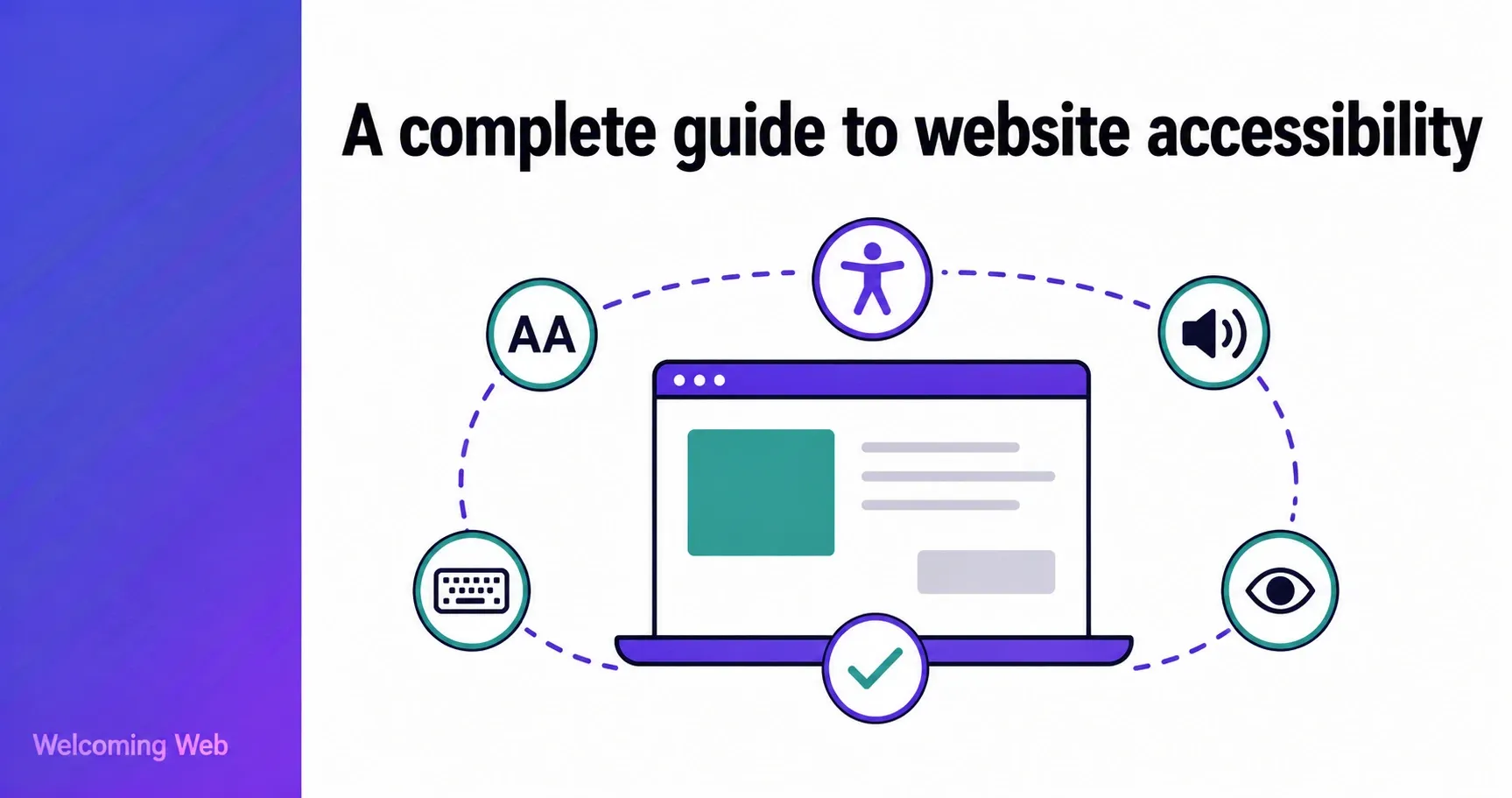
Website accessibility means designing and building websites so that people with disabilities can use them. It covers a wide range of conditions including visual impairment, hearing loss, motor disabilities, and cognitive differences, and applies to every part of a website: its content, structure, navigation, and interactive elements. This guide covers what web accessibility means in practice, which standards govern it, what the law requires, and what website owners should do.
What is website accessibility?
Website accessibility is the practice of building websites that work for everyone, including people who rely on assistive technology to browse and interact online. Screen readers, keyboard navigation, voice control software, and display adjustment tools are everyday tools for a large portion of the online population. When a website does not work with them, those users are excluded from whatever the site offers.
The practical scope of website accessibility is broader than many people realise. It covers visual disabilities, hearing disabilities, motor impairments, and cognitive differences. It also benefits people in temporary or situational circumstances. For example, someone with a broken arm who cannot use a mouse, someone in a noisy environment who cannot hear audio, or someone using a phone in bright sunlight who struggles with low contrast text. The changes that make a site accessible for a disabled user consistently make it easier to use for a much wider audience.
Web accessibility also carries legal weight in most markets. The Americans with Disabilities Act, the UK Equality Act, and the European Accessibility Act all create obligations for website owners. The following sections cover what those obligations are, which technical standards apply, and what getting it right looks like in practice.
What disabilities does web accessibility cover?
Web accessibility is often associated primarily with blindness and screen readers, but the scope is much broader. A well-designed accessible website works for people across a wide range of conditions and circumstances. These include people with:
Visual disabilities: blindness, low vision, and colour blindness. Users with these conditions may rely on screen readers that convert page content to speech, screen magnifiers, or high contrast display settings. Barriers include missing image descriptions, poor colour contrast, and content that cannot be resized without breaking the layout.
Hearing disabilities: deafness and partial hearing loss. Users with these conditions need text alternatives for audio content, captions for video, and transcripts for podcasts or audio recordings. Barriers include video content without captions and audio-only navigation cues.
Motor disabilities: conditions that limit the use of a mouse or touchscreen, such as Parkinson's disease, cerebral palsy, repetitive strain injury, and spinal cord injuries. Users with these conditions may rely entirely on a keyboard, a switch device, or voice control. Barriers include navigation that only works with a mouse, small click targets, and forms that time out before they can be completed.
Cognitive disabilities: dyslexia, ADHD, autism, and conditions that affect memory or attention. Users with these conditions benefit from clear language, consistent navigation, readable typography, and the ability to pause or stop animations. Barriers include cluttered layouts, auto-playing media, and overly complex instructions.
Temporary and situational impairments: conditions that are not permanent but create the same barriers. A person with a broken arm cannot use a mouse. A person in a noisy environment cannot hear audio. A person using a phone in bright sunlight struggles with low contrast text. Accessibility improvements designed for people with disabilities routinely help people in these situations too.
What are the web accessibility standards?
Several technical and legal standards govern web accessibility, and they are closely interconnected. Some of the most important to understand are WCAG, the ADA, the UK Equality Act, the European Accessibility Act, and Section 508. Most of these laws and regulations do not define their own technical requirements from scratch. They reference WCAG as the benchmark, which is why understanding WCAG is the foundation of understanding web accessibility standards as a whole.
What is WCAG?
The Web Content Accessibility Guidelines (WCAG) are the primary technical standard for web accessibility globally. Published by the World Wide Web Consortium (W3C), WCAG sets out specific, testable criteria for making web content accessible. The current version is WCAG 2.2, published in October 2023 and approved as an international ISO standard (ISO/IEC 40500:2025) in October 2025.
WCAG is organised around four principles, known by the acronym POUR:
- Perceivable – information and content must be presented in ways users can perceive, regardless of which senses they rely on.
- Operable – all functionality must be accessible via keyboard as well as a mouse, and users must have enough time to complete tasks.
- Understandable – content and interfaces must be clear, consistent, and predictable.
- Robust – content must work reliably with current and future assistive technologies.
Each principle contains guidelines, and each guideline contains testable success criteria. Those criteria are organised into three conformance levels: Level A is the minimum, Level AA is the standard most organisations target, and Level AAA is the highest level of accessibility.
What is the difference between WCAG 2.1 and WCAG 2.2?
WCAG 2.2 builds on WCAG 2.1 and adds nine new success criteria. These address areas that earlier versions did not fully cover, including minimum touch target sizes, accessible authentication that does not rely on memory-based tests, visible focus indicators, and alternatives to dragging gestures. A website that conforms to WCAG 2.2 also conforms to WCAG 2.1 and 2.0, since later versions are backward compatible.
For many organisations, WCAG 2.1 Level AA is the current legal standard in the majority of jurisdictions. WCAG 2.2 is the recommended target for any organisation building for the long term.
What does the law say about web accessibility?
The legal landscape for web accessibility has developed significantly in recent years, with specific requirements now in place across the US, UK, and EU.
ADA and web accessibility in the United States
The Americans with Disabilities Act (ADA) was enacted in 1990. Its Title III covers private businesses, requiring them to provide equal access to people with disabilities. Courts and the Department of Justice (DOJ) have consistently interpreted this to include websites.
In April 2024, the DOJ published a final rule under Title II of the ADA, requiring state and local government websites to conform to WCAG 2.1 Level AA. Compliance deadlines have been extended: public entities serving populations of 50,000 or more must comply by April 2027, and smaller entities by April 2028. For private businesses under Title III, no specific technical standard has been written into federal regulation, but WCAG 2.1 Level AA is the benchmark courts and the DOJ consistently apply in enforcement and litigation.
Private litigation under ADA Title III is the primary driver of compliance pressure for most businesses. According to Seyfarth Shaw, a law firm that tracks ADA Title III litigation, 3,117 federal website accessibility lawsuits were filed in 2025, a 27% increase from 2024.
UK Equality Act
The Equality Act 2010 requires organisations in the UK to make reasonable adjustments to ensure disabled people are not disadvantaged when using their services. This applies to websites. Public sector websites are additionally required to meet WCAG 2.1 AA under the Public Sector Bodies Accessibility Regulations 2018. For private sector organisations, the Equality Act creates a broader obligation to ensure digital services are not discriminatory.
European Accessibility Act
The European Accessibility Act (EAA) became enforceable across EU member states on 28 June 2025. It requires websites, apps, e-commerce platforms, e-books, and other digital products serving EU customers to meet WCAG 2.1 Level AA via the EN 301 549 standard. The EAA applies to any organisation serving EU customers, regardless of where the organisation is based.
Section 508
Section 508 of the Rehabilitation Act requires federal agencies in the US and organisations receiving federal funding to make their electronic and information technology accessible. WCAG 2.0 Level AA is currently the referenced standard, though WCAG 2.1 is increasingly cited in practice.
What are the most common web accessibility issues?
Most accessibility mistakes on live websites fall into a small number of recurring categories. Understanding these is useful both for prioritising remediation and for building accessible content from the start.
- Missing image descriptions. Images that lack alternative text leave screen reader users with no information about what the image contains or conveys. This is one of the most widespread and straightforward issues to fix.
- Low colour contrast. Text that does not meet the minimum contrast ratio against its background is difficult or impossible to read for users with low vision or colour blindness. WCAG 2.1 AA requires a contrast ratio of at least 4.5:1 for normal text.
- Unlabelled form fields. Form inputs without associated labels cannot be identified by screen readers, making it impossible for some users to complete forms. This affects checkout flows, contact forms, login pages, and search fields.
- Keyboard inaccessibility. Any functionality that can only be operated with a mouse is inaccessible to users who rely on keyboards, switch devices, or voice control. This includes dropdown menus, modal dialogs, carousels, and custom interactive components.
- Missing captions. Video content without captions excludes users who are deaf or hard of hearing, and users in environments where audio cannot be played.
- Poor heading structure. Screen reader users navigate pages primarily by headings. A page with skipped heading levels, duplicate headings, or no headings at all is difficult to navigate with assistive technology.
- Auto-playing media. Content that plays automatically without user initiation can be disorienting for users with cognitive disabilities and may interfere with screen readers.
How is web accessibility tested?
Web accessibility testing uses a combination of automated scanning and manual review.
Automated tools scan web pages against WCAG criteria and report detectable failures. They are fast and consistent, and useful for identifying common issues at scale across large sites. The limitation is that automated tools can only detect a subset of WCAG success criteria. Issues that require human judgement, such as whether an image description is meaningful or whether the reading order of a page makes sense, cannot be reliably automated.
Manual testing involves a human reviewer checking pages against WCAG criteria, typically using a combination of keyboard-only navigation, screen reader testing, and visual inspection. Testing with actual assistive technology users provides some of the most useful real-world feedback.
A practical accessibility programme combines both. Automated scanning provides continuous coverage as the site changes. Manual testing catches what automation misses and validates that fixes have been implemented correctly.
Companies like Welcoming Web offer a free accessibility scan of your site that identifies detectable issues grouped by severity, giving you a concrete starting point for understanding where your site stands before deciding how to address it.
How do you make a website accessible?
Making a website accessible is not a single project with a defined end point. It is an ongoing practice that needs to be integrated into how the site is built, maintained, and updated.
The practical starting point is understanding what is currently wrong. A scan produces an issue list grouped by severity. Critical issues are those that completely block a user from completing a task. These should take priority over lower-severity items.
Common fixes include:
- Adding descriptive alternative text to images
- Increasing colour contrast to meet WCAG thresholds
- Labelling all form fields with associated text labels
- Ensuring all interactive elements are reachable and operable by keyboard
- Adding captions to video content
- Structuring headings in a logical, hierarchical order
Beyond reactive fixing, accessible websites are built through accessible practices from the start. This means writing semantic HTML, using ARIA attributes correctly where native HTML does not provide sufficient accessibility information, testing keyboard navigation during development, and reviewing content for plain language and readability.
Welcoming Web is a web accessibility platform that combines WCAG scanning, AI-assisted remediation, and a visitor-facing accessibility widget. The scanning tools identify issues against WCAG 2.2, ADA, EN 301 549, Section 508, and UK Equality Act standards. The AI-assisted remediation generates suggested fixes for supported issue types that teams can review before applying. Additionally, Welcoming Web's accessibility widget gives every visitor direct control over how the site looks and behaves for them, adjusting text size, contrast, spacing, and navigation without changing anything for other users.
What is an accessibility statement?
An accessibility statement is a published document on a website that explains the organisation's approach to accessibility, the standard it is working toward, any known issues, and how users can report problems or request assistance.
Accessibility statements are required by law for public sector websites in the UK and EU. They are increasingly expected by regulators and courts as evidence of good faith effort in the US. A good accessibility statement names the standard being targeted, provides a date of last review, describes known limitations honestly, and gives users a clear way to contact the organisation if they encounter a barrier.
Where do you start with website accessibility?
Website accessibility has clear standards, established legal obligations, and a straightforward starting point. Understanding what your site currently does for users with access needs is the foundation everything else builds on. The organisations that manage it well treat it as an ongoing practice, keep a dated record of the work, and start before a complaint or legal notice forces the issue.
A free accessibility scan is the natural first step. It takes as little as 60 seconds and gives you the picture you need to make informed decisions.

Written by
Alisan Erdemli
CEO at Welcoming Web, and web accessibility technology expert
Connect on LinkedInReady to Make Your Website Accessible?
Join thousands of satisfied users who trust WelcomingWeb to deliver fully accessible, compliant, and inclusive digital experiences.