An accessibility conformance report (ACR) documents how well a digital product meets recognised accessibility standards. It helps businesses communicate accessibility features, identify limitations, and provide customers with information they need when evaluating software or digital services. ACRs are particularly important for businesses selling to government agencies and enterprise customers. In this guide, we'll explain what an ACR contains, how it differs from a VPAT, and how to create one.
What is an accessibility conformance report?
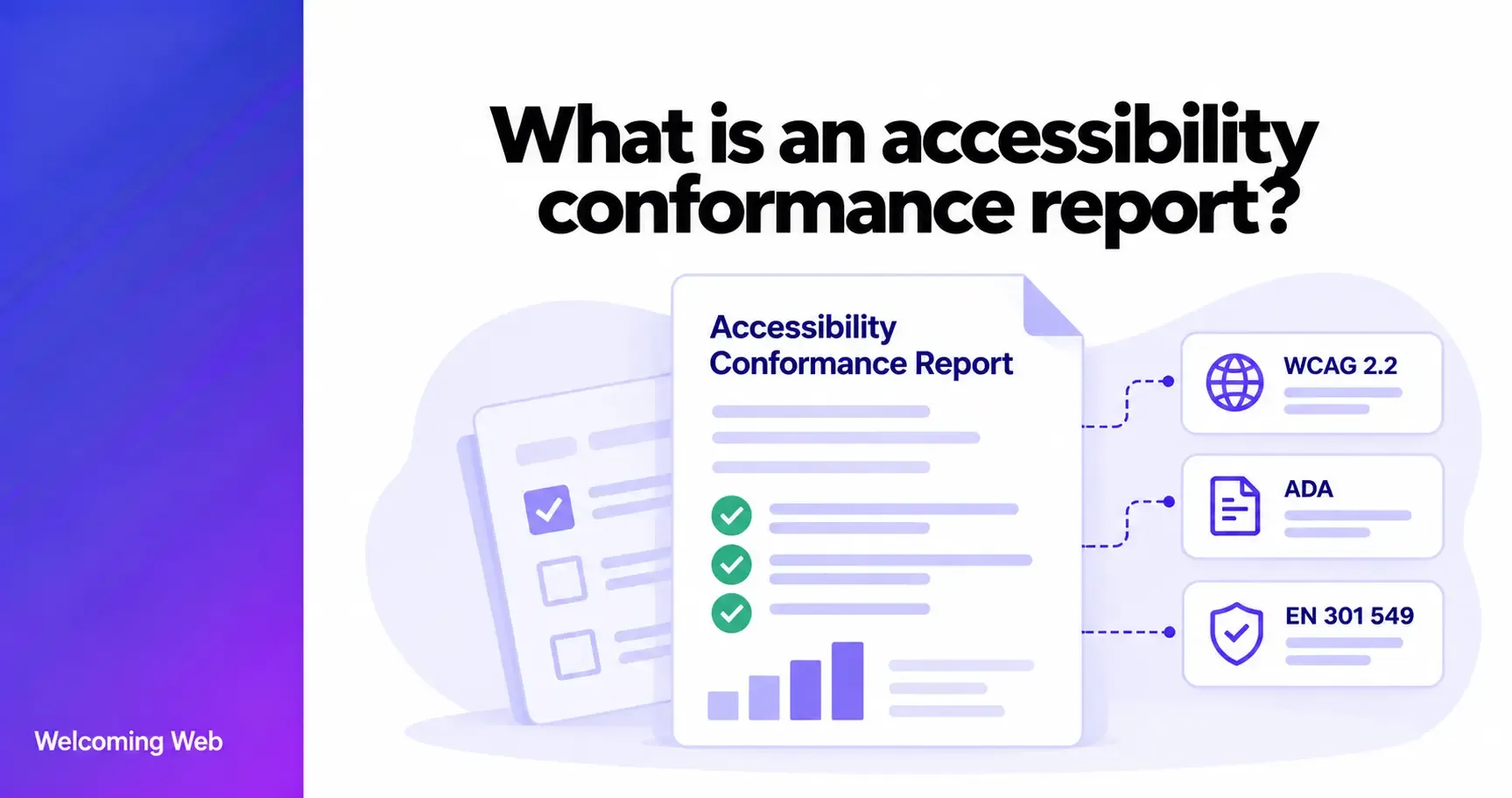
An accessibility conformance report is a document that describes how a digital product or service meets specific accessibility requirements, such as the Web Content Accessibility Guidelines (WCAG), Section 508, or EN 301 549.
ACRs are commonly used for websites, software, mobile applications, and other information and communication technology (ICT). They provide a standardised way for vendors to communicate accessibility information to potential customers. For example, a company might provide an ACR explaining how its software supports keyboard navigation, screen readers, and other accessibility requirements.
An ACR is not an accessibility certification. It documents the product's assessed conformance, including any known limitations, rather than guaranteeing that every user can access all functionality.
What is the difference between an ACR and a VPAT?
An accessibility conformance report (ACR) and a Voluntary Product Accessibility Template (VPAT) are closely related. A VPAT is the template used to document accessibility conformance, while an ACR is the completed report that contains the assessment results.
The Information Technology Industry Council (ITI) develops the VPAT, which provides a standardised format for evaluating products against recognised accessibility requirements.
There are four VPAT editions:
- WCAG: Covers the Web Content Accessibility Guidelines.
- Section 508: Covers US federal ICT accessibility requirements.
- EU: Covers the European accessibility standard EN 301 549.
- International (INT): Combines the requirements covered by the other editions.
Businesses choose the edition that reflects the standards relevant to their products and customers. The latest VPAT version available from ITI is 2.5, released in April 2025. The templates are free to download and use.
What information does an ACR contain?
An accessibility conformance report identifies the product being evaluated, the applicable accessibility requirements, and the extent to which the product meets each criterion.
A typical ACR includes:
- Product information: The product name, version, description, report date, and contact details.
- Accessibility standards: The standards and criteria included in the evaluation.
- Evaluation methods: Information about the testing methods and tools used.
- Conformance levels: An assessment of how the product meets each applicable requirement.
- Remarks and explanations: Details about accessibility limitations, affected functionality, and relevant exceptions.
For each applicable requirement, the VPAT uses four main conformance levels:
- Supports: The product has at least one method of meeting the criterion without known defects, or meets it through equivalent facilitation.
- Partially Supports: Some product functionality does not meet the criterion.
- Does Not Support: The majority of relevant product functionality does not meet the criterion.
- Not Applicable: The criterion is not relevant to the product.
The Not Evaluated classification is also permitted for WCAG Level AAA criteria in the relevant table.
These classifications allow customers to understand which requirements a product meets and where accessibility barriers may remain.
When do businesses need an accessibility conformance report?
Businesses commonly need an ACR when selling digital products to organisations with specific accessibility procurement requirements. An ACR may be requested for:
- Government procurement: US federal agencies use ACRs to assess ICT products against applicable Section 508 requirements.
- Enterprise software purchasing: Large organisations may request accessibility documentation before selecting software vendors.
- Public sector contracts: Suppliers may need to demonstrate how their products meet relevant accessibility standards.
- Customer accessibility reviews: Existing customers may request an ACR to understand accessibility support and known limitations.
For SaaS companies, an ACR can be particularly useful during procurement because it provides customers with structured information about the accessibility of the software they intend to purchase.
Not every business needs an ACR. Whether one is required depends on the product, its customers, and any applicable contractual or procurement requirements.
How do you create an accessibility conformance report?
Creating an ACR involves evaluating a product against the relevant accessibility requirements and documenting the findings. The process generally follows six steps:
- Choose the appropriate VPAT edition. Download the relevant template from the ITI website, based on the standards you need to address.
- Define the evaluation scope. Identify the product version, features, platforms, and functionality covered by the assessment.
- Conduct accessibility testing. Use appropriate automated checks, manual evaluation, and assistive technology testing to assess the product.
- Document conformance. Record the correct conformance level for each applicable criterion, explaining any failures or limitations.
- Review the findings. Check that the report accurately reflects the tested product and that the required information is complete.
- Publish an accessible report. Remove the template's instruction pages, check that the completed document is accessible, and make it available to relevant customers or procurement teams.
The US government's Section 508 guidance provides detailed instructions for completing an ACR using a VPAT.
Businesses can prepare reports internally if they have the necessary accessibility expertise or work with an external specialist.
Can accessibility software help you prepare an ACR?
Accessibility software can support the testing and remediation process involved in preparing an ACR, particularly for websites and web applications. Automated tools can help businesses identify supported accessibility issues, review potential failures against WCAG criteria, and address problems before a formal evaluation.
Welcoming Web helps businesses scan websites for supported accessibility issues, review AI-assisted remediation suggestions, and monitor findings as their websites change.
However, automated scanning cannot determine conformance with every accessibility requirement. Manual evaluation and assistive technology testing remain necessary to assess functionality that automated tools cannot reliably evaluate.
Welcoming Web does not generate formal ACRs, but it can help businesses identify and address supported issues as part of their wider accessibility improvement process.
How often should an ACR be updated?
An ACR should reflect the accessibility of the product version being assessed. Businesses should review their reports when product changes could affect accessibility, such as introducing new functionality, modifying existing components, or resolving previously documented issues.
There is no universal update schedule for every ACR. Some customers or procurement processes may establish their own requirements for how current a report must be. Keeping accessibility testing and monitoring part of regular development processes can help businesses identify changes that require further evaluation before updating their reports.
Understanding your product's accessibility
An accessibility conformance report helps businesses communicate how their digital products meet accessibility requirements. It gives customers useful information for procurement decisions and helps organisations document areas that need improvement.
Preparing an accurate ACR requires appropriate testing, but accessibility software can support the process by identifying common issues and helping teams manage ongoing improvements.
Run a free accessibility scan with Welcoming Web to identify potential barriers and start improving your website's accessibility.

Written by
Alisan Erdemli
CEO at Welcoming Web, and web accessibility technology expert
Connect on LinkedInReady to Make Your Website Accessible?
Join thousands of satisfied users who trust WelcomingWeb to deliver fully accessible, compliant, and inclusive digital experiences.