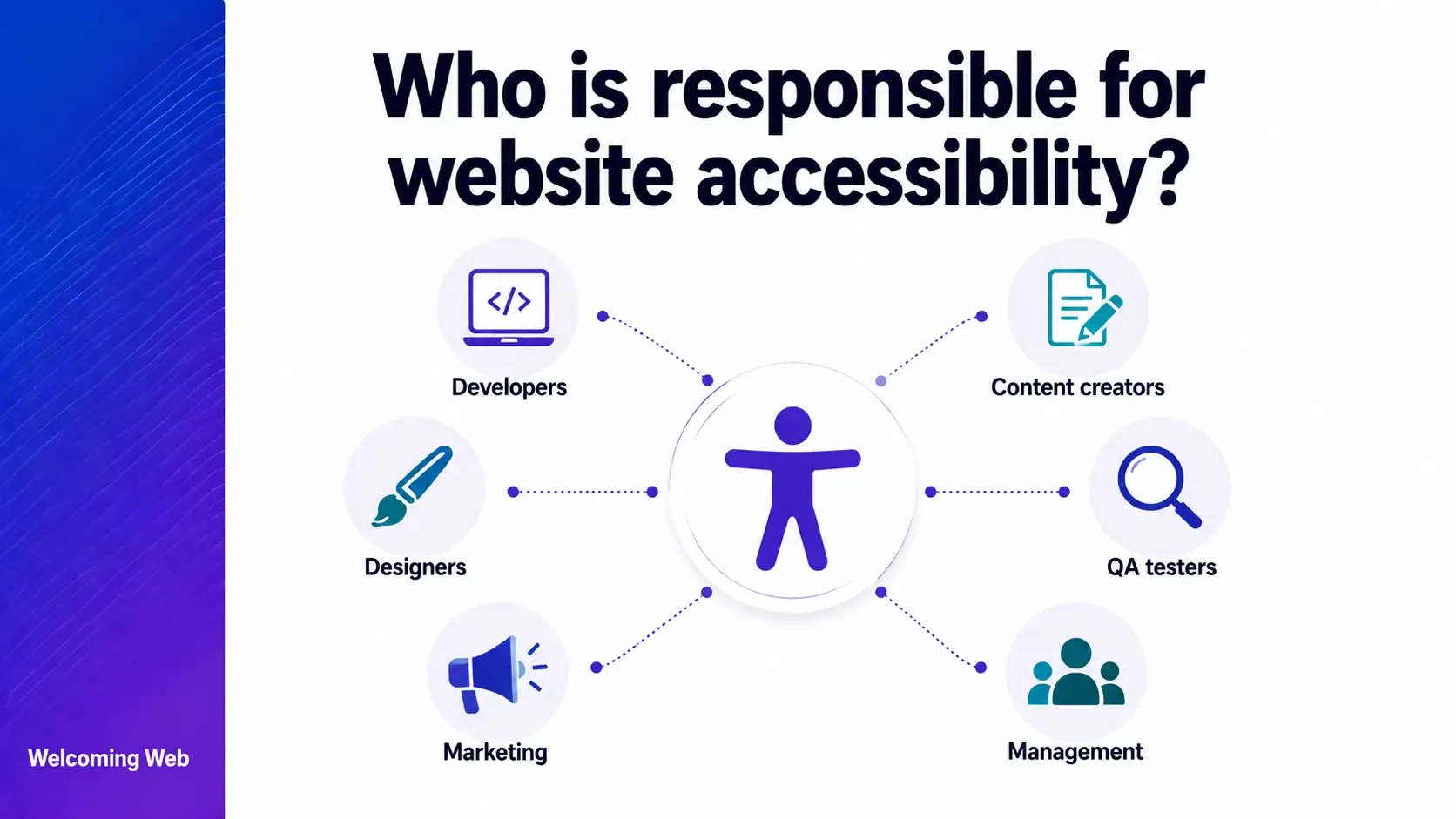
Responsibility for website accessibility is distributed across the organisation rather than owned by a single role. Developers own the structural accessibility of the code, designers own the visual and interactive decisions, and content editors own the content-level choices that determine whether the site works for users with disabilities. This guide covers which roles are responsible for which aspects and how to make that accountability work.
Why does website accessibility responsibility get confused?
The confusion about who is responsible for website accessibility stems from how the work is divided. Technical teams assume that content is outside their scope. Content teams assume that accessibility is a technical problem. Designers assume that developers will implement accessibility correctly. Legal teams assume that someone in the digital team is managing it. The result is a site where accessibility is everyone's assumption and nobody's responsibility.
The W3C's Accessibility Roles and Responsibilities Mapping (ARRM) framework identifies eight distinct roles with accessibility responsibilities, from business analysts who write requirements through to QA engineers who test the output. The framework makes clear that accessibility is a shared responsibility across the full project lifecycle, and that each role has specific decisions to make and specific areas where their choices directly affect whether the site works for users with disabilities.
Who is responsible for accessibility in the development team?
Developers are responsible for the structural and behavioural accessibility of a website. This includes the HTML element choices that determine whether a screen reader can interpret the page, the keyboard event handlers that determine whether interactive components can be operated without a mouse, the ARIA implementation that communicates the role and state of custom components to assistive technology, and the focus management that determines whether users can navigate the site after dynamic content changes.
Responsibility for website accessibility in the development team is not limited to developers who have had formal accessibility training. Every developer who writes HTML, CSS, or JavaScript makes decisions that affect accessibility. Using a <button> element rather than a styled <div> for a clickable control is an accessibility decision. Removing outline: none from CSS without providing an alternative focus indicator is an accessibility decision. These choices happen in every sprint, and their accessibility implications need to be part of the development conversation.
Who is responsible for accessibility in the design team?
Designers are responsible for the visual and interactive accessibility of a website. The decisions made in a design file determine the colour contrast of text against its background, the size and visual prominence of focus indicators, the heading hierarchy of page templates, the labelling of form fields, the error states of interactive components, and the motion and animation behaviour of the interface.
Responsibility for website accessibility in the design team means making accessibility decisions at the point the design is created. A colour scheme specified with insufficient contrast puts the developer in the position of either implementing an inaccessible design or pushing back on the specification. A component designed without a visible focus state requires the developer to invent one that was not in the brief. Both create friction that a design-phase accessibility check would have avoided entirely.
The W3C ARRM framework notes that designers own decisions about visual presentation, user interface components, and interaction patterns, all of which have direct accessibility implications.
Who is responsible for accessibility in the content team?
Content editors and writers are responsible for the content-level accessibility of a website. This includes writing meaningful alternative text for images, using descriptive link text rather than "read more" or "click here," structuring content with a logical heading hierarchy within the content area, writing in plain language, providing transcripts or captions for audio and video content, and ensuring that documents uploaded to the site, including PDFs, are accessible.
Responsibility for website accessibility in the content team requires awareness that the content decisions made every day have a direct impact on whether users with visual, cognitive, or motor disabilities can access the information being published. This includes what alt text to write, how to label a link, and how to structure a heading.
Content-level accessibility failures are among the most common found in website audits, and they are also the most straightforward to address once teams understand their role. A free accessibility scan identifies which content-level issues currently exist on a site, giving content teams a concrete starting point.
Who is responsible for accessibility in the product and project team?
Product managers and project leads are responsible for ensuring that accessibility requirements are included in briefs, user stories, and acceptance criteria. When a product brief describes what a feature must do without specifying what it must do for users with disabilities, accessibility is effectively out of scope for the delivery team, regardless of how committed individual team members may be to getting it right.
Responsibility for website accessibility in the product team means treating WCAG success criteria as functional requirements alongside other user requirements. A user story that describes how a sighted user interacts with a new component but does not describe how a keyboard user or screen reader user interacts with it is an incomplete user story. Accessibility acceptance criteria give developers and QA engineers something specific to build and test against.
Who is responsible for accessibility in the QA team?
QA engineers are responsible for verifying that the site meets its accessibility requirements before release. This means testing against the accessibility acceptance criteria included in the feature brief, running automated accessibility scans on new and modified pages, conducting keyboard navigation testing on new interactive components, and flagging accessibility failures with the same priority as functional failures that block users.
In practice, accessibility testing is frequently absent from QA processes because it requires knowledge of assistive technology that most QA teams have not developed. The most accessible starting point is to include automated accessibility scanning as a standard step in the release checklist, which catches detectable WCAG failures before deployment without requiring screen reader expertise.
Who owns overall responsibility for website accessibility?
Distributing responsibility for website accessibility across roles is necessary but not sufficient. Someone in the organisation needs to own the overall programme, which means tracking the accessibility position of the site over time, ensuring that fixes are prioritised and completed, and producing the compliance documentation that legal, procurement, and regulatory audiences need.
In smaller organisations, this role typically falls to whoever manages the website, whether that is a marketing manager, a digital lead, or an operations manager. In larger organisations, a dedicated accessibility lead or an accessibility champion within the digital team takes ownership of the programme.
Regardless of who holds the role, the responsibilities are the same: maintaining a current picture of the site's accessibility position through regular scanning, ensuring that issues are assigned to the right team and tracked to completion, producing exportable reports that serve internal reviews and external compliance requirements, and keeping accessibility visible to leadership through regular reporting.
Welcoming Web's dashboard supports this role directly. It tracks whether issues are new, fixed, or reappearing between scans, assigns issues by type and severity, and produces reports in PDF or CSV format. The compliance monitoring tools give the accessibility lead a single view of the site's accessibility position without requiring manual data gathering from multiple sources.
What happens when responsibility for website accessibility is not assigned?
When responsibility for website accessibility is not clearly assigned, several predictable patterns emerge. Developers implement what the design specifies without raising accessibility concerns because accessibility sign-off is not part of their brief. Designers specify interfaces without accessibility requirements because accessibility is not part of the design review process. Content editors publish content without considering alt text or heading structure because nobody has told them it is their responsibility. And the overall accessibility position of the site drifts without anyone noticing until a user complaint, a scan, or a legal notice surfaces the accumulation.
Clear ownership does not require a large team or a dedicated accessibility specialist. It requires explicit assignment of which role is responsible for which aspect of accessibility, a brief covering what that responsibility means in practice, and a mechanism for making the site's accessibility position visible to everyone who owns a part of it.
Responsibility for website accessibility: What organisations get wrong
Most organisations assign responsibility for website accessibility to the wrong level. They treat it as a legal or compliance matter owned by the legal team, or as a technical matter owned by the development team. The legal team does not build or maintain the website. The development team does not write the content or make the design decisions. Accessibility owned at the wrong level in the organisation is accessibility that nobody acts on.
The W3C's guidance on strategic planning for web accessibility is explicit on this point: organisations that succeed at accessibility are those that assign responsibility across roles, make it part of existing processes, and give each role the training and tools to fulfil their specific accessibility obligations.
A free accessibility scan gives every role a concrete starting point. It shows which issues currently exist, what type they are, and which standard each one relates to, giving developers, designers, content teams, and accessibility leads a shared picture of what the site needs and who is best placed to address each part of it.

Written by
Alisan Erdemli
CEO at Welcoming Web, and web accessibility technology expert
Connect on LinkedInReady to Make Your Website Accessible?
Join thousands of satisfied users who trust WelcomingWeb to deliver fully accessible, compliant, and inclusive digital experiences.