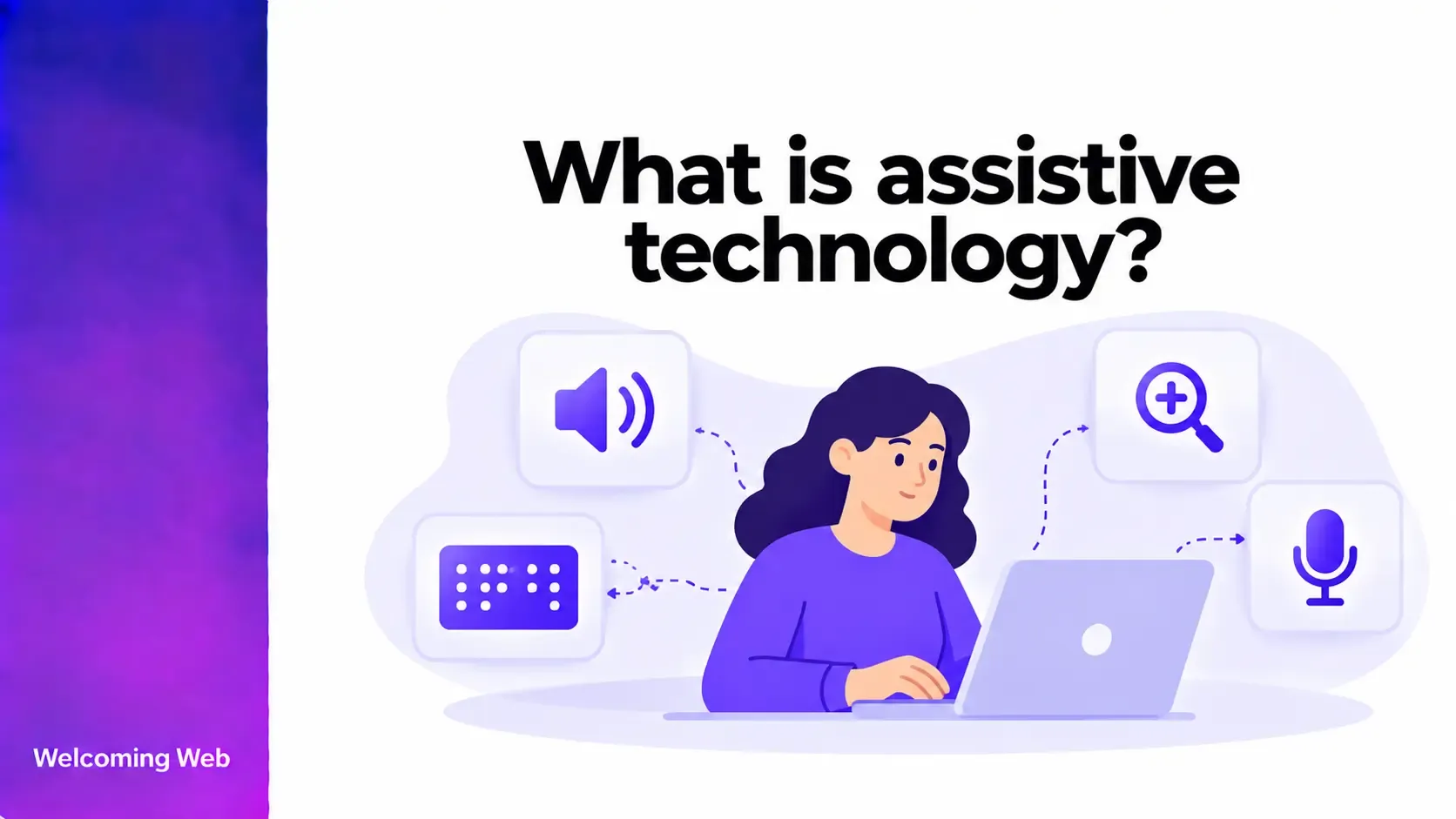
Assistive technology helps people with disabilities access information, communicate, and complete everyday tasks. On websites, tools such as screen readers, speech recognition software, and alternative keyboards allow users to navigate content and interact with digital services in different ways. In this guide, we'll explain what assistive technology is, explore eight common types, and show how websites can support people who rely on them.
What is assistive technology?
Assistive technology refers to devices, software, and equipment that help people with disabilities perform tasks that might otherwise be difficult or inaccessible. These technologies support activities ranging from communication and mobility to reading, writing, and using digital devices.
In website accessibility, assistive technologies help people interact with online content using methods that suit their needs. For example, someone with a visual impairment might use a screen reader to hear webpage content, while someone with limited mobility might navigate a website using voice commands.
Assistive technology can be used by people with visual, hearing, physical, cognitive, and other disabilities. Some tools are specifically designed for accessibility, while others are built into everyday devices and operating systems.
8 types of assistive technology used on websites
Different types of assistive technology support different ways of interacting with digital content. The following examples explain how eight common technologies work and what website owners should consider when designing accessible experiences.
1. Screen readers
Screen readers are software applications that convert digital text and interface information into spoken output or braille. Popular screen readers include NVDA and JAWS for Windows, VoiceOver for Apple devices, and TalkBack for Android. They allow people who are blind or have visual impairments to access websites without relying on visual content.
For example, someone using a screen reader might navigate a shopping website by moving between headings, reviewing product descriptions, and selecting buttons to complete a purchase.
Website accessibility considerations: Use descriptive headings, meaningful alternative text for informative images, properly labelled form fields, and semantic HTML so screen readers can identify content and controls correctly.
2. Screen magnifiers
Screen magnifiers enlarge text, images, and interface elements to help people with low vision see digital content more clearly. Some magnification tools also offer colour adjustments, enhanced pointers, and other visual settings. Examples include Windows Magnifier, ZoomText, and the Zoom accessibility feature in macOS.
A person with low vision might magnify an online banking website to read account information, review transactions, or complete a payment.
Website accessibility considerations: Ensure content remains usable when enlarged, supports responsive layouts, and does not require unnecessary horizontal scrolling. Buttons, navigation menus, and form fields should remain accessible at higher zoom levels.
3. Text-to-speech software
Text-to-speech technology converts written content into spoken audio. It can support people with dyslexia, reading difficulties, visual impairments, and other conditions that make reading text challenging. For instance, a student with dyslexia might use text-to-speech software to listen to an online article while following the written text on screen.
Unlike screen readers, which provide detailed information about interface structure and navigation, many text-to-speech tools primarily focus on reading written content aloud.
Examples of text-to-speech technology include NaturalReader, Read&Write, and built-in read-aloud features available in some browsers and operating systems.
Website accessibility considerations: Use clear language, meaningful headings, and text-based content that reading tools can access. Avoid placing essential information exclusively inside images.
4. Speech recognition software
Speech recognition software allows people to control devices, enter text, and perform actions using spoken commands. It can be particularly useful for people with limited mobility or conditions that make traditional keyboard and mouse use difficult. Examples include Dragon Professional, Windows Voice Access, and Apple Voice Control.
Someone using speech recognition might open a website, select navigation links, dictate information into a contact form, and submit it without using their hands.
Website accessibility considerations: Give buttons and links clear, descriptive visible labels. Ensure interactive controls have accessible names that correspond to their visible text so voice-control users can identify and activate them.
5. Refreshable braille displays
Refreshable braille displays are electronic devices that convert digital information into tactile braille characters using movable pins. They typically work alongside screen readers to present text and interface information.
Examples include the HumanWare Brailliant series and Freedom Scientific Focus braille displays.
A person who is blind or deafblind might use a refreshable braille display to read an online document, review a webpage, or complete a form through tactile feedback.
Website accessibility considerations: Provide properly structured text, meaningful labels, and accessible form controls. Information presented only through images, colour, or visual positioning may not be available through braille output.
6. Alternative keyboards
Alternative keyboards provide different ways to enter information and control computers. They may feature larger keys, modified layouts, on-screen controls, or designs that accommodate specific physical needs. Examples include large-key keyboards, one-handed keyboards, and on-screen keyboards operated through alternative input devices.
A person with limited hand movement might use an adaptive keyboard to navigate a website, complete registration fields, or access an online service.
Website accessibility considerations: Make all essential functionality available through a keyboard interface. Users should be able to navigate interactive elements in a logical order without encountering keyboard traps.
7. Switch access devices
Switch access technology allows people to control digital devices using one or more switches instead of a conventional keyboard or mouse. Switches can be activated through different movements, depending on the user's abilities and equipment.
Examples include adaptive physical switches used with Switch Control on Apple devices or Switch Access on Android.
Someone with significant mobility limitations might use a switch to move through selectable items on a website, activate a button, or enter information using an on-screen keyboard.
Website accessibility considerations: Ensure interactive elements are keyboard accessible, provide enough time to complete tasks, and avoid interactions that depend exclusively on precise pointer movements.
8. Eye-tracking technology
Eye-tracking technology uses cameras and sensors to detect eye movements, allowing users to control a computer or communication device by looking at different areas of a screen. Examples include Tobii Dynavox eye-gaze systems and other compatible eye-tracking devices.
A person with limited physical mobility might use eye tracking to select links, navigate a webpage, or interact with an online communication platform.
Website accessibility considerations: Use clearly labelled controls, predictable layouts, and adequately sized interactive targets. Avoid requiring complex gestures or tightly spaced interactions that may be difficult to select accurately.
How does assistive technology work with websites?
Assistive technologies interact with websites through browsers, operating systems, and accessibility information exposed by webpage elements. For example, when a developer uses a native HTML button, the browser can communicate its role, accessible name, and state through accessibility APIs. A screen reader can then announce the button, while compatible input technologies can help users activate it.
Website structure plays an important role in this process. Correctly implemented headings, links, form controls, and other semantic HTML elements help assistive technologies interpret content. The Web Content Accessibility Guidelines (WCAG) 2.2 provide requirements that support these interactions, including:
- Keyboard accessibility: Website functionality must be operable through a keyboard interface, subject to defined exceptions.
- Text alternatives: Informative non-text content needs appropriate text alternatives.
- Labels and instructions: Form controls should provide the information users need to understand and complete them.
- Name, role, and value: Interface components must expose relevant information programmatically to assistive technologies.
Why is assistive technology important for website accessibility?
Assistive technology enables people to access digital information and services using methods suited to their needs. However, its effectiveness depends partly on whether the website has been designed and developed accessibly.
A screen reader, for example, cannot reliably explain an incorrectly labelled button, and a keyboard user may be unable to complete a task if an essential control requires a mouse.
Compatibility with assistive technology helps people:
- Access information independently: Read articles, review documents, and find information without relying on someone else.
- Complete online tasks: Fill in forms, make purchases, manage accounts, and use digital services.
- Communicate effectively: Participate in online discussions, send messages, and use communication platforms.
- Access education and employment: Use learning environments, workplace systems, and professional tools.
Supporting these interactions also helps organisations identify accessibility barriers that may affect their websites' usability and compliance with applicable accessibility requirements.
How to test your website with assistive technology
Testing websites with assistive technology helps identify barriers that may not be obvious during visual inspection. Automated accessibility checks are useful for detecting supported technical issues, but manual testing is necessary to evaluate how people interact with a website.
A practical testing process should include:
- Test keyboard navigation: Move through links, menus, buttons, and forms without using a mouse. Check focus visibility and navigation order.
- Use a screen reader: Test important pages with a screen reader such as NVDA or VoiceOver to check headings, labels, navigation, and feedback.
- Check browser zoom: Enlarge content and confirm that information and functionality remain available.
- Review voice-control compatibility: Check whether visible labels match accessible names and whether controls can be identified through speech commands.
- Test complete user journeys: Try submitting forms, completing purchases, and navigating multi-step processes using relevant assistive technologies.
Where possible, include people with disabilities in usability testing to understand how real users experience your website.
Welcoming Web's compliance monitoring can help identify and track supported accessibility issues as websites change. Automated findings can guide remediation work, while manual testing helps evaluate interactions that automated scans cannot fully assess.
Support assistive technology through accessible website design
Assistive technology plays an important role in helping people access websites, communicate, and complete online tasks. Supporting these tools requires accessible page structures, properly implemented controls, and regular testing across different interaction methods.
Reviewing your website for accessibility barriers can help identify problems that affect people using assistive technologies and other accessibility features.
To start identifying supported accessibility issues, run a free accessibility scan with Welcoming Web.

Written by
Alisan Erdemli
CEO at Welcoming Web, and web accessibility technology expert
Connect on LinkedInReady to Make Your Website Accessible?
Join thousands of satisfied users who trust WelcomingWeb to deliver fully accessible, compliant, and inclusive digital experiences.