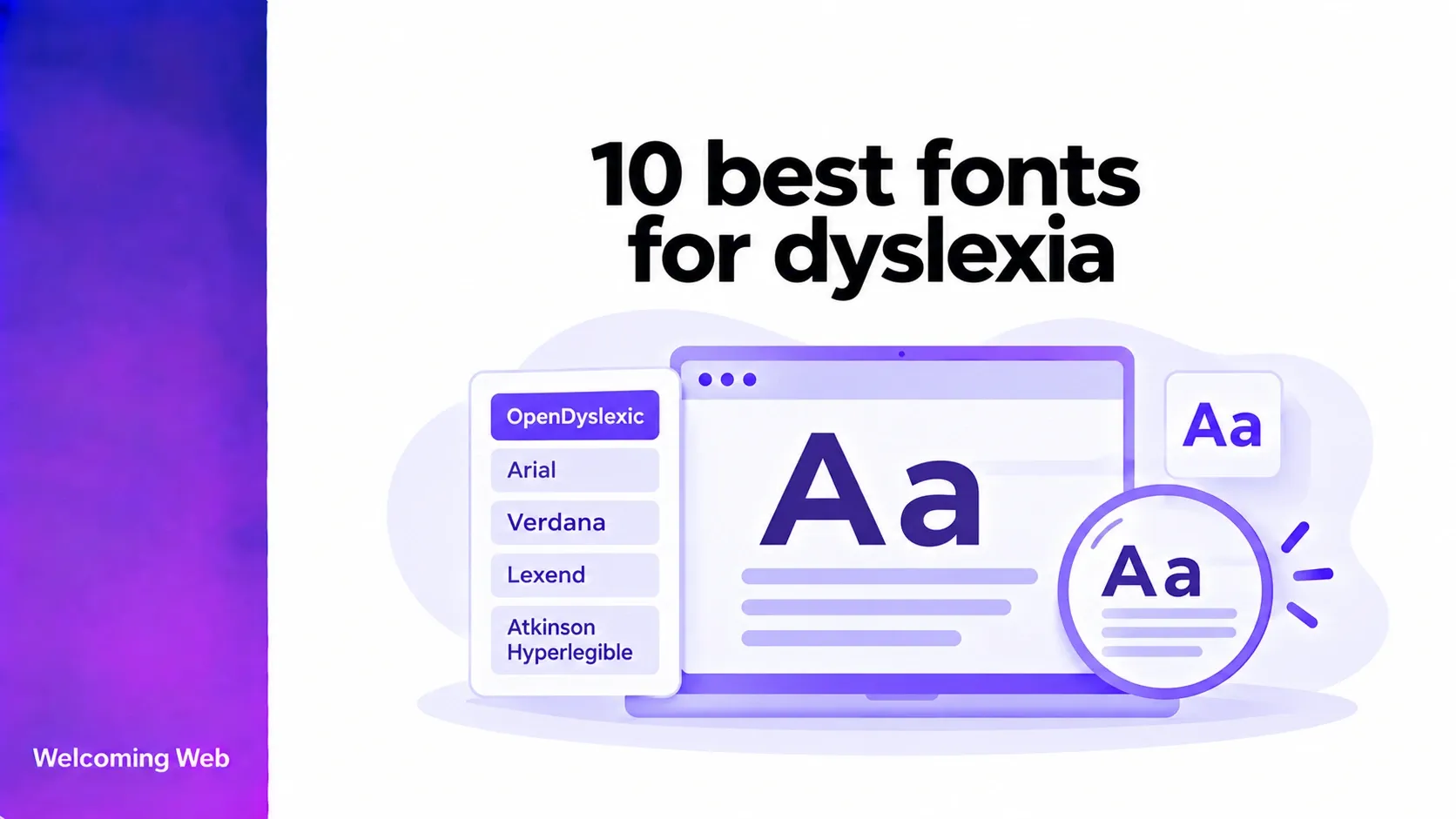
Choosing the right font can make reading more comfortable for people with dyslexia, but some typefaces are better suited to certain readers than others. Arial, Verdana, and Open Sans are popular choices, while specialised fonts such as OpenDyslexic offer alternative designs. In this guide, we explore 10 of the best fonts for dyslexia, what makes them worth considering, and how to improve readability on your website.
What makes a font dyslexia-friendly?
Dyslexia-friendly fonts are typefaces that some people with dyslexia find comfortable to read. They often feature clearly defined letters, uncomplicated designs, and spacing that makes characters and words easier to distinguish. Choosing readable fonts is an important consideration in website accessibility, helping make digital content easier to navigate and understand for visitors with different reading needs.
The British Dyslexia Association's 2026 style guide provides guidance on choosing dyslexia-friendly fonts. Familiar sans-serif typefaces such as Arial, Verdana, and Tahoma are useful starting points for accessible website typography. However, individual reading preferences vary and research has not consistently demonstrated that specialised dyslexia fonts outperform conventional alternatives.
Common characteristics to consider include:
- Distinct letterforms: Characters should be easy to tell apart, particularly letters with similar shapes.
- Comfortable spacing: Adequate space between letters and words can reduce visual crowding.
- Readable proportions: Fonts should remain clear at different sizes without appearing cramped.
- Simple designs: Excessive decoration and unusual letter shapes may make text harder for some readers to process.
10 best fonts for dyslexia
The following fonts include conventional typefaces recommended in dyslexia-friendly formatting guidance and specialised options developed for dyslexic readers. They are presented as useful choices and are not a ranking of effectiveness.
1. Arial
Arial is a widely available sans-serif font with a simple, familiar appearance. Its straightforward letterforms and balanced proportions make it a useful starting point for dyslexia-friendly typography.
Its widespread use across websites, documents, and operating systems means many readers are already accustomed to its appearance. Arial also works well at different text sizes, making it a good choice for digital content.
Best for: Website body text, online documents, and everyday digital communication.
2. Verdana
Verdana was designed specifically for readability on computer screens. It features wide letterforms, a large x-height, and generous spacing that can help distinguish individual characters.
Its open design makes it particularly suitable for longer passages of text, although its wider proportions mean it takes up more horizontal space than some alternatives.
Best for: Website body text, online learning materials, and content-heavy interfaces.
3. Comic Sans
Comic Sans is an informal typeface with rounded, handwriting-inspired letterforms. Its distinctive character shapes may appeal to readers who find more conventional fonts difficult to distinguish.
However, its playful appearance may not suit professional websites or formal documents. It is better considered as a personal reading preference than a default font for every audience.
Best for: Educational resources, informal reading materials, and personalised reading settings.
4. Tahoma
Tahoma is a compact sans-serif font developed for screen-based interfaces. Its clear letterforms and relatively tight proportions make it suitable for shorter passages and interface elements.
Compared with Verdana, Tahoma takes up less horizontal space, making it useful for navigation menus, labels, and other areas where space is limited. Adequate font size and spacing remain important for readability.
Best for: Website navigation, form labels, interface text, and compact digital layouts.
5. Century Gothic
Century Gothic is a geometric sans-serif font known for its rounded shapes and wide letterforms. Its open appearance may appeal to readers who prefer evenly proportioned characters.
However, its thin strokes can become harder to distinguish at smaller sizes, particularly on lower-resolution screens. It is often better suited to larger text than dense paragraphs.
Best for: Headings, presentations, short passages, and larger display text.
6. Trebuchet MS
Trebuchet MS was designed for digital screens and combines open proportions with distinctive letterforms. Its slightly more expressive appearance makes it visually different from neutral fonts such as Arial.
It offers a balance between readability and visual character, making it an option for websites that want a recognisable typeface without using decorative lettering.
Best for: Website headings, body text, educational content, and digital publications.
7. Calibri
Calibri is a sans-serif font with rounded details, smooth curves, and relatively soft letterforms. Its understated appearance makes it suitable for everyday reading without drawing attention away from the content.
It is particularly familiar to people who regularly work with Microsoft Office documents. However, website designers should consider font availability and suitable fallbacks when using it online.
Best for: Documents, internal communications, learning materials, and everyday reading.
8. Open Sans
Open Sans is a versatile sans-serif font designed for digital readability. Its open letterforms, balanced spacing, and range of font weights make it suitable for websites with large amounts of text.
Its clean appearance works well across different screen sizes, while its availability through Google Fonts makes it easy to implement on websites.
Best for: Website body text, blogs, digital services, and content-heavy interfaces.
9. OpenDyslexic
OpenDyslexic is a specialised font developed for people with dyslexia. Its characters feature heavier lower portions and deliberately varied shapes intended to make similar letters easier to distinguish.
Its distinctive appearance may appeal to readers who prefer alternative letterforms, making it a useful option to offer through personalised reading settings.
Best for: Personalised reading modes and users who prefer specialised dyslexia fonts.
10. Dyslexie
Dyslexie is a specialised typeface designed with distinctive letter shapes, heavier lower portions, and adjusted spacing. These features are intended to help readers distinguish characters that might otherwise appear similar.
Unlike many conventional fonts, Dyslexie requires consideration of commercial licensing terms before being implemented on a website.
Best for: Personalised reading environments and users who prefer its distinctive letterforms.
Do specialised dyslexia fonts work?
Specialised dyslexia fonts are designed around the idea that particular letter shapes and spacing patterns can make reading easier. OpenDyslexic and Dyslexie are two of the most recognisable examples.
Font familiarity and appropriate text spacing can be just as important as the typeface itself. Some readers may find specialised dyslexia fonts more comfortable, while others prefer conventional options such as Arial or Verdana.
This distinction is important for website accessibility. Offering a specialised font can provide an additional choice, but replacing a website's existing typography with one dyslexia font does not guarantee improved readability for all visitors.
How to make website text easier to read for people with dyslexia
Choosing a dyslexia-friendly font is a good starting point, but spacing, layout, and personalisation also affect readability. Here are some ways to make website content more accessible:
- Use comfortable font sizes: The British Dyslexia Association recommends 12–14pt for documents. On websites, ensure text remains readable when enlarged or zoomed.
- Adjust text spacing: Use sufficient line height, letter spacing, and paragraph spacing to prevent text from appearing crowded. WCAG 2.2 Success Criterion 1.4.12 requires content to remain functional when users increase text spacing to specified levels.
- Keep text left-aligned: Avoid fully justified text, which can create inconsistent gaps between words. Aim for manageable line lengths of approximately 50–75 characters.
- Use clear formatting: Break up long paragraphs with descriptive headings and lists to make content easier to follow.
- Choose readable colour combinations: Maintain sufficient contrast between text and backgrounds in line with WCAG contrast requirements, while recognising that individual colour preferences vary.
- Offer personalisation options: Allow visitors to adjust font styles, text size, and spacing. Welcoming Web's accessibility widget includes a dyslexia-friendly font setting and text customisation options to support different reading preferences.
How to choose the right font for your website
For most websites, a familiar, clearly designed font is a reasonable starting point. While some fonts are recommended in dyslexia-friendly typography guidance, rather than choosing a typeface solely because it is described as dyslexia-friendly, consider how it performs within your website's actual design.
Evaluate whether the font:
- Remains readable at normal and enlarged text sizes.
- Provides clear distinctions between similar characters.
- Works well with your chosen line length and spacing.
- Supports the characters and languages your website requires.
- Remains usable across desktop and mobile layouts.
Where possible, include people with dyslexia in usability testing and allow them to compare different typography settings. Their feedback can help identify preferences and difficulties that may not be apparent from visual inspection or automated accessibility testing.
Make website typography easier to personalise
The best fonts for dyslexia are those that readers find comfortable and usable. Familiar typefaces such as Arial, Verdana, and Calibri are useful starting points, while specialised fonts offer additional options for people who prefer them.
Website owners should also consider spacing, layout, contrast, and opportunities for personalisation. These decisions can make digital content easier to navigate and read for a wider audience.
To identify supported accessibility issues that may affect your website, run a free accessibility scan with Welcoming Web today.

Written by
Alisan Erdemli
CEO at Welcoming Web, and web accessibility technology expert
Connect on LinkedInReady to Make Your Website Accessible?
Join thousands of satisfied users who trust WelcomingWeb to deliver fully accessible, compliant, and inclusive digital experiences.