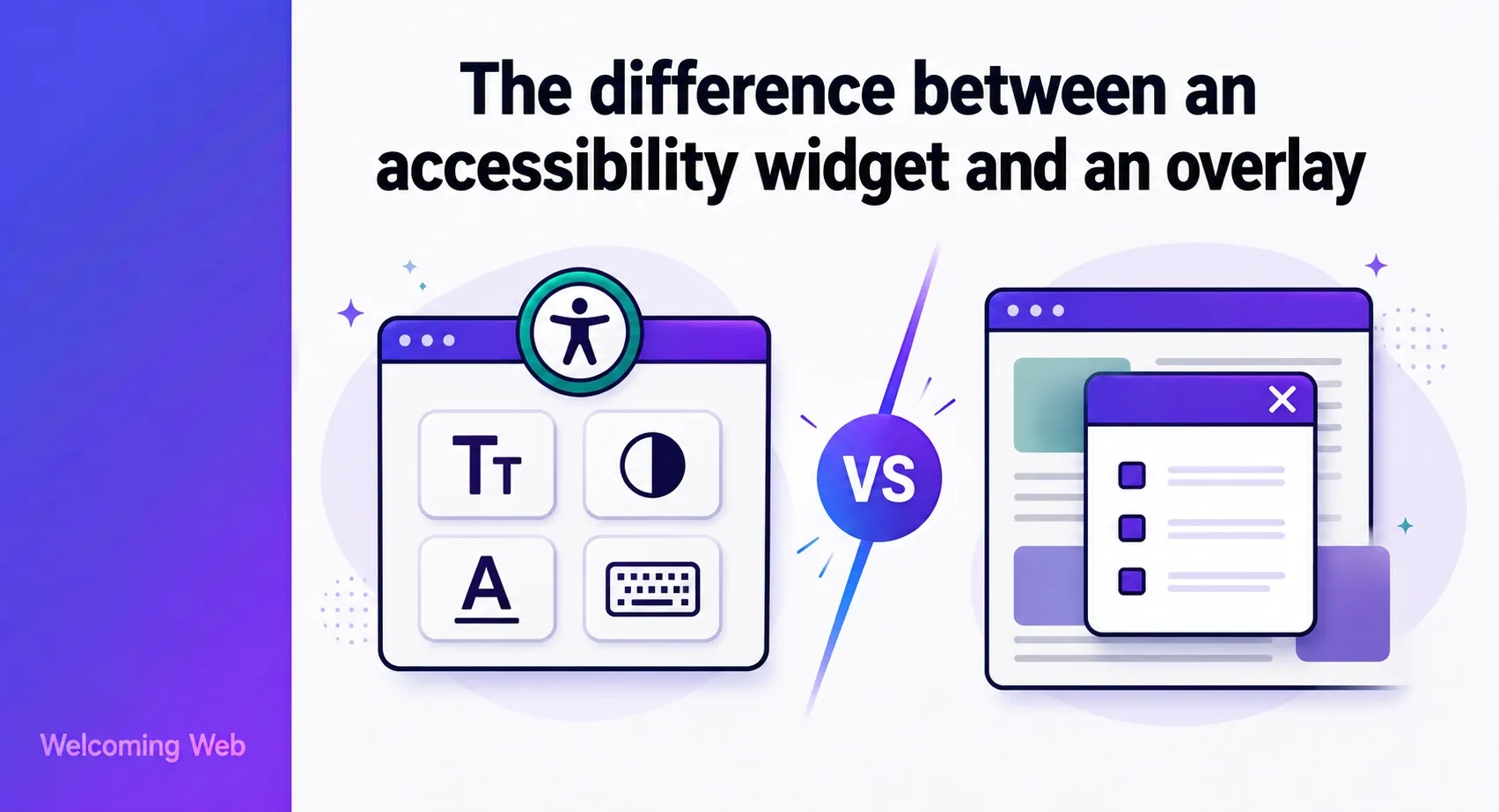
An accessibility widget is a visitor-facing tool that lets each user adjust how a website looks and behaves for them. An overlay is a broader term for any JavaScript layer added to a site to modify its accessibility, covering automated remediation claims, visitor controls, or both. The two terms are used interchangeably across the industry, but they describe different things and carry different implications for anyone evaluating accessibility tools.
Why are accessibility widgets and overlays often confused?
The confusion between accessibility widgets and overlays is largely a marketing problem. Many products sold as "accessibility solutions" bundle a visitor-facing widget with backend automation and call the whole thing an overlay, a widget, or an AI compliance tool depending on which term tests better with buyers.
The result is that website owners searching for accessibility help encounter products that use the same language to describe fundamentally different capabilities. A visitor-facing accessibility menu and an automated WCAG remediation engine are not the same thing. Conflating them leads to purchasing decisions based on what a product appears to do rather than what it actually does.
What does an accessibility widget do?
An accessibility widget is a menu that appears on a website, usually as a floating button in a corner of the screen. When a visitor opens it, they see controls that change how the site looks and behaves for them personally. Common controls include:
- Text size, line spacing, and font adjustments
- Colour contrast and custom colour combinations
- Cursor size and keyboard navigation support
- Motion reduction and animation pausing
- Presets for common accessibility needs, such as a dyslexia profile or a low vision profile
The critical detail is scope. Every change a visitor makes through an accessibility widget affects only their own view of the site. Nothing changes in the source code, the CMS, or the design for any other user. When the visitor leaves or clears their browser data, the settings reset. The widget is a personalisation layer rather than a fix to the underlying site.
What does an accessibility overlay do?
An accessibility overlay is a JavaScript file added to a website that sits on top of the existing code and attempts to modify the site's accessibility automatically. Many overlay products also include a visitor-facing widget as part of the package.
The distinction that matters is the automated remediation claim. Overlay products have historically marketed themselves as tools that can detect and fix accessibility issues without changes to the underlying site. Some have claimed to bring websites into full WCAG compliance automatically.
For example, in January 2025, the Federal Trade Commission announced a complaint against accessiBe, one of the most widely marketed overlay products, for misrepresenting the ability of its AI-powered tool to make any website compliant with WCAG. The Commission approved a final order in April 2025 requiring the company to pay $1 million. The FTC's position was direct: the automated claims were false, misleading, or unsubstantiated.
Why can't an overlay make a website fully accessible?
The limitation of accessibility overlays is technical and fundamental. A screen reader parses a website's actual HTML source code. When a user navigates a site using a screen reader, they interact with the underlying structure of the page, not with a JavaScript layer placed on top of it.
An overlay can intercept some of what a screen reader encounters and attempt to modify it in real time. Automated tools can only detect a subset of WCAG success criteria. The issues that remain are structural: missing semantic markup, incorrect heading hierarchies, unlabelled form fields baked into the source, and interactive elements that were never built to be keyboard-navigable. A script running on top of the page cannot reliably resolve those.
The structural issues that matter most to screen reader users exist in the source code. Fixing them requires changes there, not a layer placed on top.
What does an accessibility widget fix that an overlay cannot?
A visitor-facing accessibility widget gives users with accessibility needs direct control over their experience without requiring the organisation to have fixed every underlying issue first. For a visitor who needs larger text or higher contrast, the widget delivers that immediately.
What a widget cannot do is resolve the structural issues a screen reader encounters in the source code. It also does not produce the audit record that compliance documentation requires. Those two limitations are where overlays have historically stepped in with automated remediation claims, and where the gap between what is marketed and what is delivered tends to open up.
The useful question to ask any overlay vendor is not "can your tool make my site accessible" but "what percentage of WCAG success criteria does your automation address, and how do you document what it has and has not fixed?"
Welcoming Web is a web accessibility platform that separates these two functions clearly. The visitor-facing accessibility widget adjusts the experience for individual users, while the website scanning and monitoring tools build the documented record of issues found, addressed, and tracked over time.
Does having an accessibility widget or overlay protect against legal action?
Neither an accessibility widget nor an overlay provides legal protection. Courts and regulators assess whether a site is accessible to users with disabilities, not whether a particular tool has been installed. A widget or overlay that sits on top of unresolved structural barriers does not remove those barriers from a legal perspective.
The organisations that are best positioned when a complaint arrives are those that can show a documented history of scanning, issue tracking, and active remediation. That record demonstrates good faith effort. Installing a tool and considering the work complete does not.
What should I look for when evaluating an accessibility tool?
Evaluating an accessibility tool starts with understanding what it adjusts versus what it actually fixes in the source code. Those are different things, and most tools only do one of them. A well-structured accessibility programme typically needs:
- A visitor-facing widget that gives users direct control over their experience.
- A scanning tool that identifies issues against WCAG 2.2 and ADA standards.
- A remediation process, whether manual, AI-assisted, or both, that addresses issues in the source code.
- A monitoring schedule that catches regressions introduced by new content or features.
- An exportable record of issues found, addressed, and resolved over time.
- No single tool delivers all of these. Products that claim otherwise are worth examining closely.
What should you take away from the widget vs overlay debate?
The terms "accessibility widget" and "overlay" are used inconsistently across the industry, and the products themselves often bundle both functions together. That makes it genuinely difficult to evaluate what any given tool actually does.
Understanding what each tool does and where its limits are is more useful than the labels attached to them. The visitor-facing function and the automated remediation function are different things, and a purchasing decision that treats them as the same tends to leave gaps in the accessibility programme.
If you want a clear picture of what your site actually needs before evaluating any tool, a free accessibility scan takes 60 seconds and gives you the issue list to start from.

Written by
Alisan Erdemli
CEO at Welcoming Web, and web accessibility technology expert
Connect on LinkedInReady to Make Your Website Accessible?
Join thousands of satisfied users who trust WelcomingWeb to deliver fully accessible, compliant, and inclusive digital experiences.