A web accessibility monitoring tool scans a site on a schedule and flags new or recurring WCAG and ADA issues. It tracks whether past fixes hold after each site update. This guide covers how to use an accessibility monitoring tool and walks through setting up scans, reading results, and acting on what Welcoming Web's monitoring feature finds.
What does a web accessibility monitoring tool do?
A web accessibility monitoring tool re-scans a website on a schedule instead of checking it once. Each new scan is compared against the last set of results. A fixed issue reappearing, or a new one appearing, gets flagged automatically. Welcoming Web's compliance monitoring tool works this way. It checks pages against WCAG 2.2, ADA Title III, EN 301 549, and UK Equality Act 2010. Scans can run weekly or monthly, whatever schedule the team sets.
Scheduled scans are important because sites rarely stay still long enough for a single scan to stay accurate. A marketing team might swap a banner image and forget the alt text. A developer could ship a new checkout step. A CMS plugin update may quietly override a colour token across every page. Any one of these can reintroduce a barrier that a one-off audit already cleared and a visitor using a screen reader or keyboard navigation could hit it before anyone on the team notices.
How do you set up automated accessibility scans?
When using a web accessibility monitoring tool, setting up automated scans starts with adding the site to the monitoring platform and confirming which pages to include. For example, Welcoming Web is added using a small code snippet, so no redesign or development sprint is needed before scanning can begin. From there, a scan can be configured in a few ways:
- Scan scope: Run a scan on a single page, across multiple pages, or the entire site. This lets a team check one urgent page immediately without waiting for a full site scan to complete.
- Standards checked: Every scan is measured against WCAG 2.2, ADA Title III, EN 301 549, and UK Equality Act 2010. Each issue found is linked to the specific criterion it relates to, so the reason it matters is clear from the report itself.
- Scan frequency: Scans can run once or on a recurring schedule, such as weekly or monthly. A recurring schedule means new issues surface automatically, rather than waiting for the next manual check.
Running a scan does not change anything on the website. It only records where problems exist and which standard each one relates to.
Teams with a small site or a slow release cycle can start with a single scan and move to a schedule once they understand their baseline. Teams shipping content or code weekly get more value from a recurring schedule from day one, because that is where regressions are most likely to appear unnoticed.
How do you read a website accessibility monitoring report?
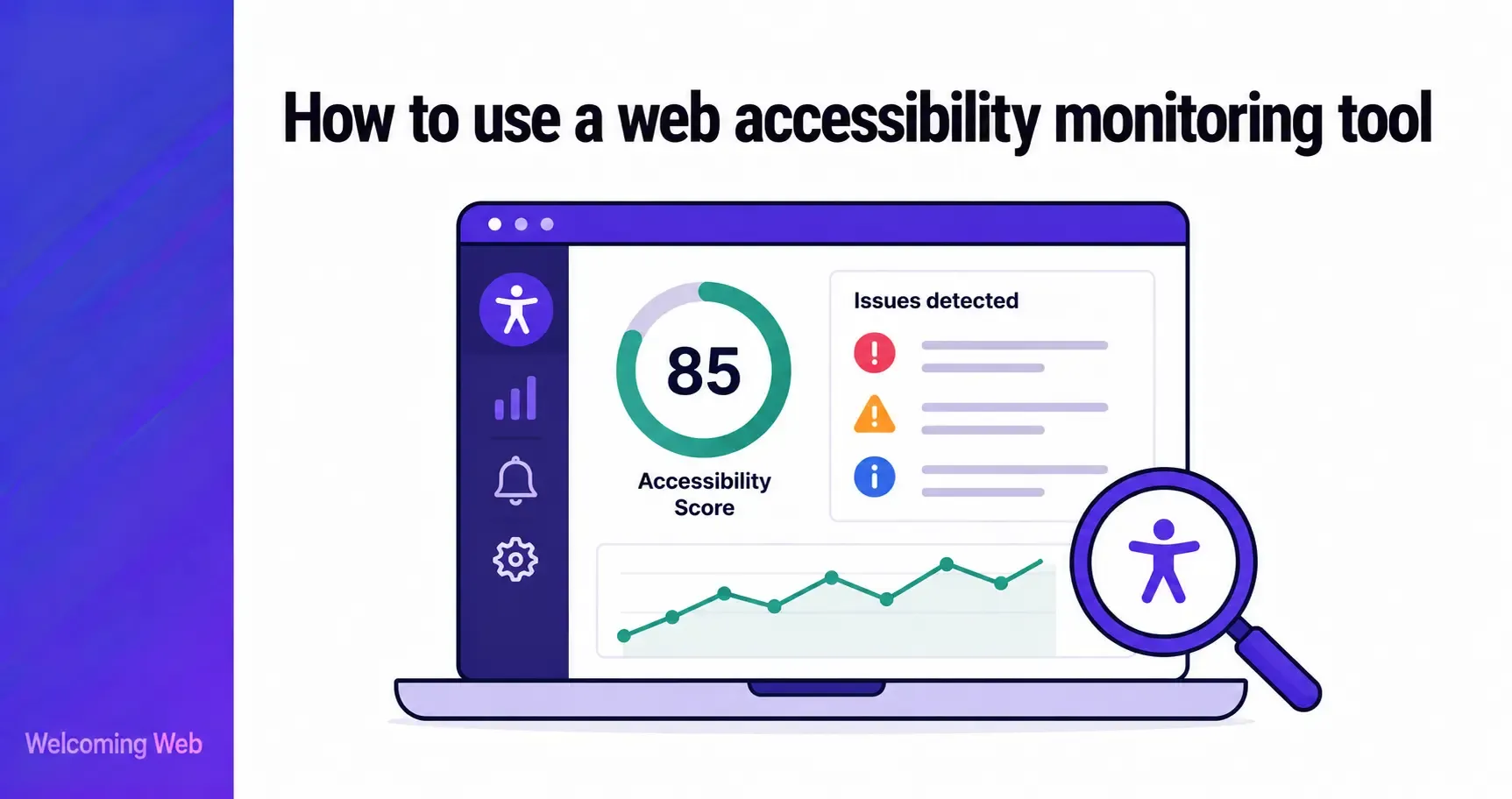
An accessibility monitoring report groups issues so a team can see what needs attention first. Each issue includes a consistent set of details:
- Page location: Which page the issue appears on, so the right person can find and fix it without searching.
- Affected element: The specific component involved, such as an image, button, link, or heading.
- Issue type and severity: What kind of problem it is, for example a missing description or low contrast, along with how serious it is.
- Related standard: The relevant success criterion from WCAG, ADA, or EN standards, so the team understands which regulation it ties back to.
- Status: Whether the issue is new, fixed, or reappearing since the last scan.
Status is the most useful field for a first read. New issues need triage first, since they reflect the latest change on the site. Reappearing issues deserve closer attention, since they usually mean a fix did not fully take effect.
Reports can be exported as PDF or CSV. Teams typically use them for internal reviews, compliance documentation, agency or developer handover, and tracking progress over time. That status tracking is what separates ongoing monitoring from a single audit that gets filed away and never revisited. Each new scan updates the same running picture, rather than starting from nothing.
How often should an accessibility monitoring tool scan your site?
There is no single correct frequency to how often an accessibility monitoring tool should scan your site. It depends on how often the site changes. A site with a content management system in daily use, an active A/B testing programme, or frequent plugin updates benefits from weekly scans because that is roughly how often something on the page is likely to move.
A smaller site with infrequent updates can run monthly scans and still catch most regressions before they compound. The trade-off is time: an issue that sits undetected for a month is an issue a visitor has been living with for a month. Ecommerce and high-traffic sites tend to justify the shorter interval, since checkout and product pages change the most and carry the highest cost when something breaks.
Release cadence is the practical trigger for changing scan frequency. A team moving from quarterly redesigns to weekly deployments should increase scan frequency at the same time instead of months later when a backlog of reappearing issues forces the change.
What happens when monitoring tools find a new accessibility issue?
When using a web accessibility monitoring tool, a new issue will usually be sorted into one of two paths as soon as it's logged. Issues with a common, well-defined fix, such as adding missing alt text or adjusting a contrast value, can often be resolved with a suggested fix. Issues that need judgement, such as restructuring confusing page navigation, go to a person to handle directly.
With Welcoming Web, that first path runs through AI-assisted remediation. Supported issue types, such as missing image descriptions, low colour contrast values, or unlabelled buttons and form fields, get a suggested fix generated automatically. Teams then choose how to proceed: review it and apply it through the platform or handle the issue manually instead. Issues without a supported fix path are flagged for manual attention instead.
Review is still important, even when a monitoring tool has automatic application switched on. An AI-suggested alt text description for a product photo might need a human to confirm it matches what the image is actually showing, particularly for images carrying specific information.
What should your team check every time a monitoring report arrives?
Reading a monitoring report well means checking five specific things every time it arrives. Each one catches a pattern that a quick skim through the issue list could miss.
New versus reappearing status. A new issue points to a recent change. A reappearing issue points to a gap in the fix process itself, such as a template edit that was never rolled out everywhere it needed to be.
Colour contrast after any design or CMS update. Contrast failures are one of the most common regressions, because a single updated brand colour or theme variable can drop dozens of pages below the required contrast threshold at once.
Third-party embeds and widgets. Booking tools, chat widgets, and embedded forms are often built and maintained outside the main site, so a scan can flag an issue there that the internal team has no direct way to fix without contacting the vendor.
Severity before order. Working through issues in the order they appear on the page, rather than by severity, means low-impact spacing issues sometimes get fixed before a missing form label that blocks submission entirely.
Confirmed fixes. An issue marked resolved in a ticketing system should still show as fixed on the next scan. If it does not, the underlying template or component was likely never updated in production.
How do you use an accessibility monitoring tool to build a compliance record?
A compliance record is built from a dated history of scans. Each entry shows what was found, when, and what happened to it afterwards, turning a series of scans into a timeline. Courts and regulators consistently look more favourably on organisations that can demonstrate that kind of ongoing effort over a snapshot review from months earlier.
Welcoming Web helps you build that timeline, though it does not claim legal compliance or guarantee a specific legal outcome. What it provides is evidence: a dated, exportable record of what was found, resolved, and any issues that reappeared.
That record only holds up if it stays current. A dashboard full of resolved issues from a year ago is weaker evidence than one still being added to today. Start using Welcoming Web's compliance monitoring tool to build that dated record scan by scan.

Written by
Alisan Erdemli
CEO at Welcoming Web, and web accessibility technology expert
Connect on LinkedInReady to Make Your Website Accessible?
Join thousands of satisfied users who trust WelcomingWeb to deliver fully accessible, compliant, and inclusive digital experiences.