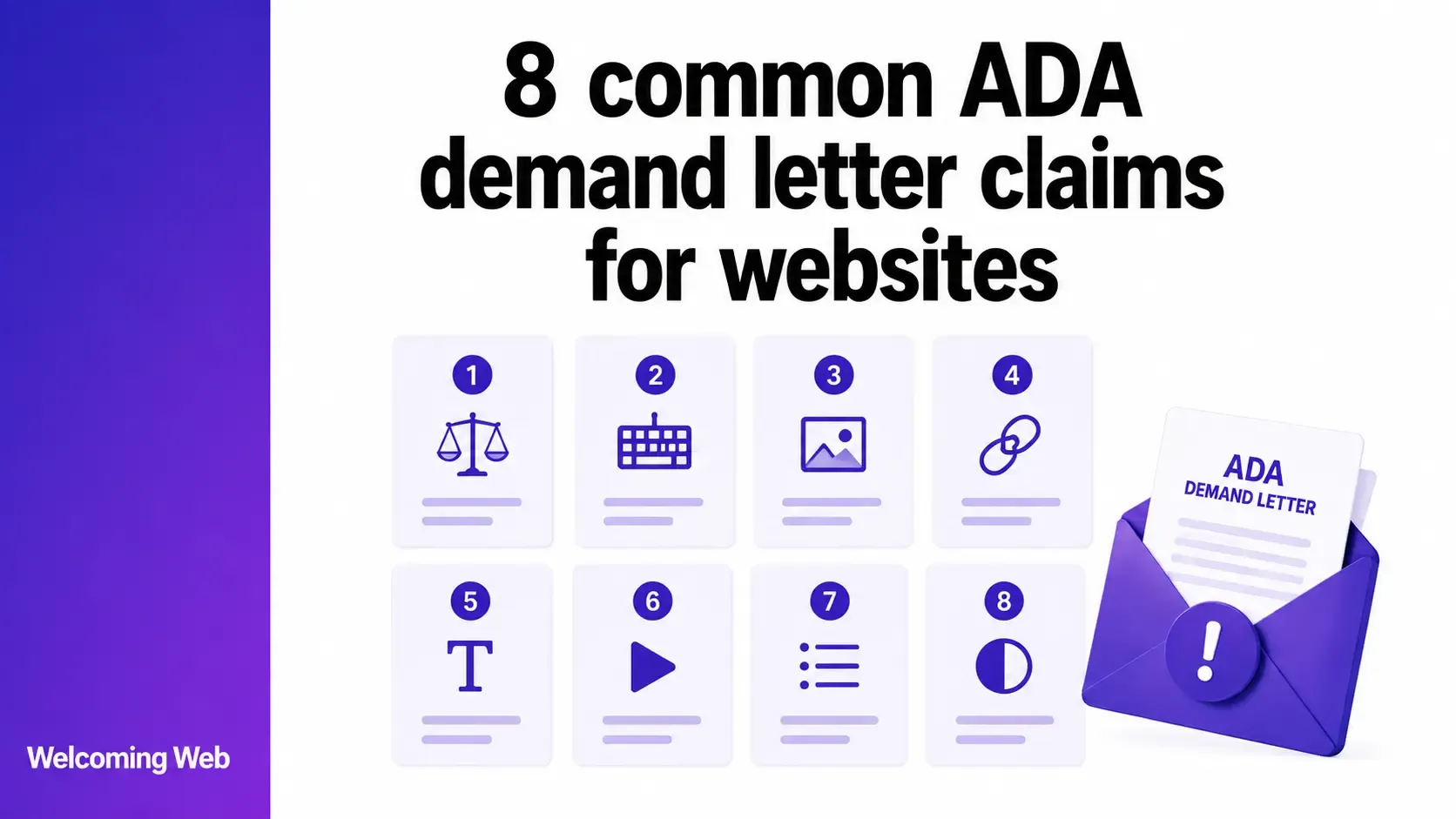
ADA demand letter claims concerning websites often identify barriers affecting images, forms, navigation, documents, and multimedia. Many reference WCAG criteria to describe the accessibility problem involved. This guide examines eight common ADA website accessibility claims, what each allegation means, and how the underlying barrier can affect disabled visitors. It also explains how WCAG criteria relate to claims made under ADA Title III.
What accessibility problems are commonly claimed in ADA demand letters?
ADA demand letters can identify several accessibility barriers encountered while someone uses a website. Existing ADA demand letters often reference WCAG success criteria when describing the technical problems behind those allegations.
The Department of Justice identifies inaccessible images, colour contrast, video captions, forms, and keyboard navigation among the website barriers that can affect disabled users. These issues also feature regularly in website ADA demand letter claims. The following eight examples show how these claims can relate to specific content, controls, and functionality across a website.
1. Missing or inadequate alternative text
Missing alternative text is a common claim involving images that convey information. A screen reader needs a text alternative to communicate relevant image content to someone who cannot see it.
An alternative text claim may identify images with no text alternative or descriptions that fail to communicate their relevant purpose. The allegation may cite individual images, repeated components, or WCAG 2.2 Success Criterion 1.1.1 for non-text content.
Check which images are identified and whether the allegation concerns missing alternative text, the description provided, or both. Our guide to writing accessible alt text explains the requirements in greater detail.
2. Website functions that cannot be operated by keyboard
Keyboard accessibility claims may identify website functions that cannot be reached or operated without a mouse. Dropdown menus, buttons, modal windows, forms, carousels, and custom controls can all be cited.
The allegation may also concern focus order, missing focus indicators, or keyboard traps that prevent someone from leaving a component. The DOJ identifies keyboard-only navigation as an accessibility consideration for people whose disabilities affect mouse use.
When website ADA demand letter claims mention keyboard access, check which pages and components are cited. Testing the same functionality using only a keyboard can help establish the barrier being alleged.
3. Form fields without accessible labels or instructions
Form-related ADA demand letter claims may identify fields without accessible labels, instructions that assistive technology cannot determine, or errors that are not communicated clearly.
The allegation may concern a single field or a repeated form component used across several pages. Checkout, registration, account, booking, and contact forms can contain several connected accessibility barriers within the same user journey.
When a claim identifies an inaccessible form, check the cited fields and complete the relevant process. This can establish whether the allegation concerns labels, instructions, validation, error handling, or several of these elements.
4. Text and interface elements with insufficient colour contrast
Colour contrast claims may identify text or interface elements that are difficult to distinguish from their backgrounds. The DOJ includes sufficient contrast between text and its background among its examples of accessible website practices.
These allegations can concern body copy, navigation, form elements, buttons, text placed over images, or other interface components. Demand letters may reference different WCAG criteria depending on the element involved.
Review the pages and components identified in the claim to establish whether it concerns text contrast, interface components, or another use of colour.
5. Video content without captions or other required alternatives
Video accessibility claims may identify prerecorded or live content that lacks captions for speech and other important audio information. The DOJ identifies captioning as an accessibility measure for people who are deaf or hard of hearing.
Some allegations may concern other media requirements. For example, important visual information unavailable through the existing audio may require an audio description or another appropriate alternative.
The relevant requirements depend on the media involved and the information it communicates. When ADA website accessibility claims identify a video, check the specific content cited and whether the alleged barrier concerns captions, visual information, or another media alternative.
6. PDFs that are inaccessible to assistive technology
PDF accessibility claims may concern documents that visitors need to use or understand through a website. These can include application forms, product documentation, reports, policies, brochures, and downloadable instructions.
Allegations may identify scanned documents with no readable text, missing document structure, incorrect reading order, inaccessible tables, unlabelled form fields, or images without alternatives.
The significance of the barrier can also depend on what the document provides. An inaccessible application form, for example, can affect someone's ability to complete a service offered through the website.
If a website accessibility demand letter identifies inaccessible PDFs, check which documents are cited and which specific accessibility barriers the claim attributes to them.
7. Links, buttons, and controls without accessible names
Accessible-name claims may identify links, buttons, or controls whose purpose is unclear to assistive technology. Icon-only buttons, search controls, menu buttons, carousel controls, and other visually identifiable elements can be cited when their accessible names are missing or inadequate.
Links may also be identified when their accessible text does not communicate their destination or purpose in context.
When ADA demand letter claims reference WCAG requirements for accessible names, review the specific controls cited and the information exposed to assistive technology. This can establish whether the allegation concerns the element's name, purpose, or programmatic implementation.
8. Navigation and menus that assistive technology cannot interpret
Navigation claims may concern menus or page structures that assistive technology cannot interpret reliably. A demand letter might identify dropdown menus, expandable navigation, headings, landmarks, or relationships between controls and the content they reveal.
Some allegations can overlap with keyboard access or accessible-name problems. The cited barrier may concern how the navigation is structured, how its state is communicated, or whether relationships between elements can be determined programmatically.
For common ADA demand letter claims involving menus or navigation, review the cited component as a whole to establish which part of the navigation experience the allegation concerns.
Why do ADA demand letters reference WCAG?
WCAG provides technical criteria for evaluating web accessibility. This makes individual success criteria useful for describing specific barriers such as missing text alternatives, inadequate contrast, or inaccessible keyboard functionality.
ADA Title III is different. It prohibits disability discrimination by businesses open to the public and requires full and equal enjoyment of their goods and services. The DOJ has consistently taken the position that these obligations extend to goods and services offered on the web.
For businesses covered by Title III, the DOJ has not established a detailed web accessibility regulation equivalent to the WCAG 2.1 AA rule introduced for state and local governments under Title II. Its Title III guidance identifies WCAG and Section 508 as technical standards that provide useful accessibility guidance.
That context helps explain why WCAG criteria frequently appear in ADA demand letters. A letter may use individual WCAG criteria to describe the technical barriers a visitor alleges they encountered.
A failed WCAG check should not automatically be described as an ADA violation. The legal status of an individual claim depends on circumstances that an automated accessibility test cannot determine.
Which ADA accessibility issues can Welcoming Web help identify?
Welcoming Web scans websites for detectable accessibility issues and maps findings against WCAG 2.2 and ADA Title III. Recurring scans can also surface new issues as website content and functionality change.
The platform can identify supported issues relevant to several ADA demand letter claims discussed above. These include missing image descriptions, colour contrast problems, unlabelled form fields, and detectable keyboard accessibility issues.
Each finding identifies the affected element and provides information about what needs attention. For supported issue types, Welcoming Web can generate AI-assisted remediation suggestions for your team to review before applying changes.
Scan history can be exported in PDF or CSV format, giving teams a record of detected issues and their progress over time. Welcoming Web helps identify supported accessibility issues and provides remediation assistance, but using the platform does not itself make a website accessible. It also does not determine whether an allegation in a demand letter is legally valid.
If you want to understand which detectable barriers are present on your site, run a free accessibility scan with Welcoming Web.
Understanding the barriers described in ADA demand letter claims
ADA demand letter claims can describe very different accessibility problems, even when several appear within the same letter. Identifying the affected content and functionality helps establish what each technical allegation refers to.
WCAG criteria can provide useful context because they define testable accessibility requirements. Some barriers also require manual evaluation to understand how the website behaves for disabled users.
If your organisation has received an ADA demand letter, involve legal counsel with relevant ADA Title III experience. Technical accessibility findings can help you understand the website, while legal counsel can advise on the claim itself.
Start by finding the accessibility barriers you can identify today. Scan your website for free with Welcoming Web and get a clearer view of the issues that may need attention.

Written by
Alisan Erdemli
CEO at Welcoming Web, and web accessibility technology expert
Connect on LinkedInReady to Make Your Website Accessible?
Join thousands of satisfied users who trust WelcomingWeb to deliver fully accessible, compliant, and inclusive digital experiences.